The Honest Parent’s Guide to Phone Monitoring
Somewhere between “I want to know my kid is safe” and the payment page, most parents lose track of what they’re actually buying. This parent phone monitoring guide is written to close that gap — plainly, without the bit where every feature sounds essential and every risk sounds solved.
Monitoring apps, including this one, are genuinely useful for a specific, bounded set of things. They are not a general solution to worry, and they are not a substitute for a kid who’s willing to tell you what’s actually going on. Getting that distinction right before you set anything up is the difference between a tool that earns its place on the phone and one that gets quietly ignored by month three.
- What monitoring promises versus what it delivers
- Five marketing claims worth being sceptical of
- What monitoring is genuinely good at
- What it cannot fix, no matter the app
- Matching the tool to the actual problem
- The real cost: time, trust and money
- Do you actually need a paid app
- Choosing one without getting oversold
- Questions parents actually ask
What monitoring promises versus what it delivers
Every monitoring app’s homepage promises roughly the same thing: total visibility, effortless setup, complete safety. None of those three claims survives contact with an actual phone. Visibility is bounded by what the platform allows an app to see. Setup takes real minutes on a real device, usually with the child present. And safety is a property of a relationship and a set of habits, not a property of software — an app can reduce certain risks, and it cannot make a child safe on its own.
None of that makes monitoring useless. It makes the marketing unreliable as a guide to what to expect, which is a very different problem and a much more fixable one.
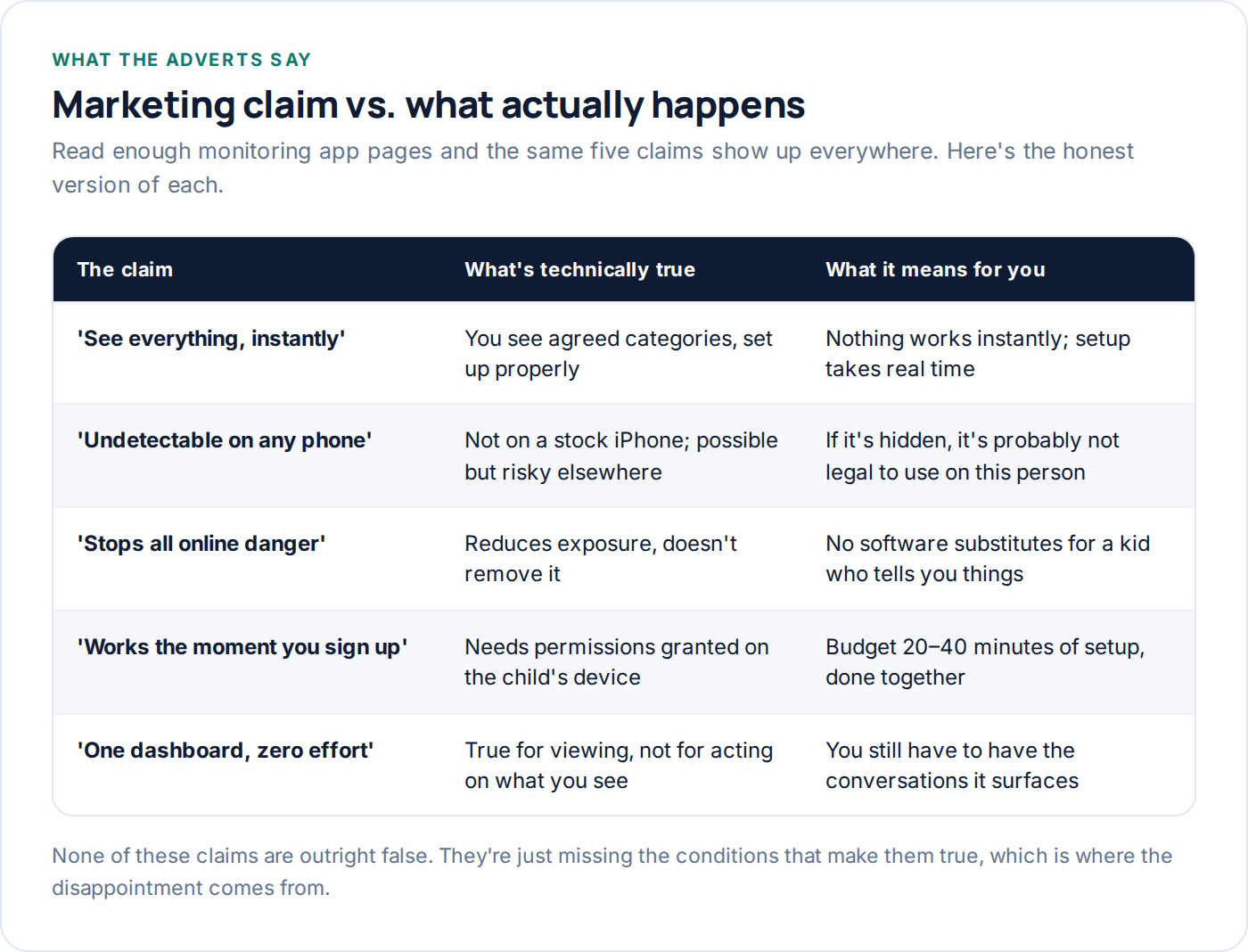
Five marketing claims worth being sceptical of
These show up, in some phrasing, on nearly every monitoring app’s website. Worth knowing what’s actually behind each one before you rely on it.
“See everything, instantly.” Nothing is instant. Location and screen time populate quickly once permissions are granted. Message-related features, where they exist at all, depend on notification access that has to be turned on, on the device, by someone holding it.
“Undetectable on any phone.” This is the one worth the most scepticism. An app that hides itself from the app list on someone else’s phone is describing covert surveillance, not monitoring, and using it on anyone who hasn’t agreed to it is illegal in a lot of places — including, in many jurisdictions, on another adult without their knowledge.
“Stops all online danger.” It reduces exposure to some categories of risk. It does not, and cannot, remove risk from a child’s life, any more than a smoke alarm removes the possibility of fire.
What monitoring is genuinely good at
Strip away the marketing language and the actual, reliable strengths are narrower and more useful than they get credit for. Location — knowing roughly where a device is and getting an alert on arrival somewhere — works well and consistently, on both major platforms. Screen time enforcement, done through the built-in platform tools, genuinely locks a phone rather than politely suggesting a limit. Content filtering catches most accidental encounters with material you’d rather your child didn’t stumble into, even though a determined teenager can usually get around it eventually.
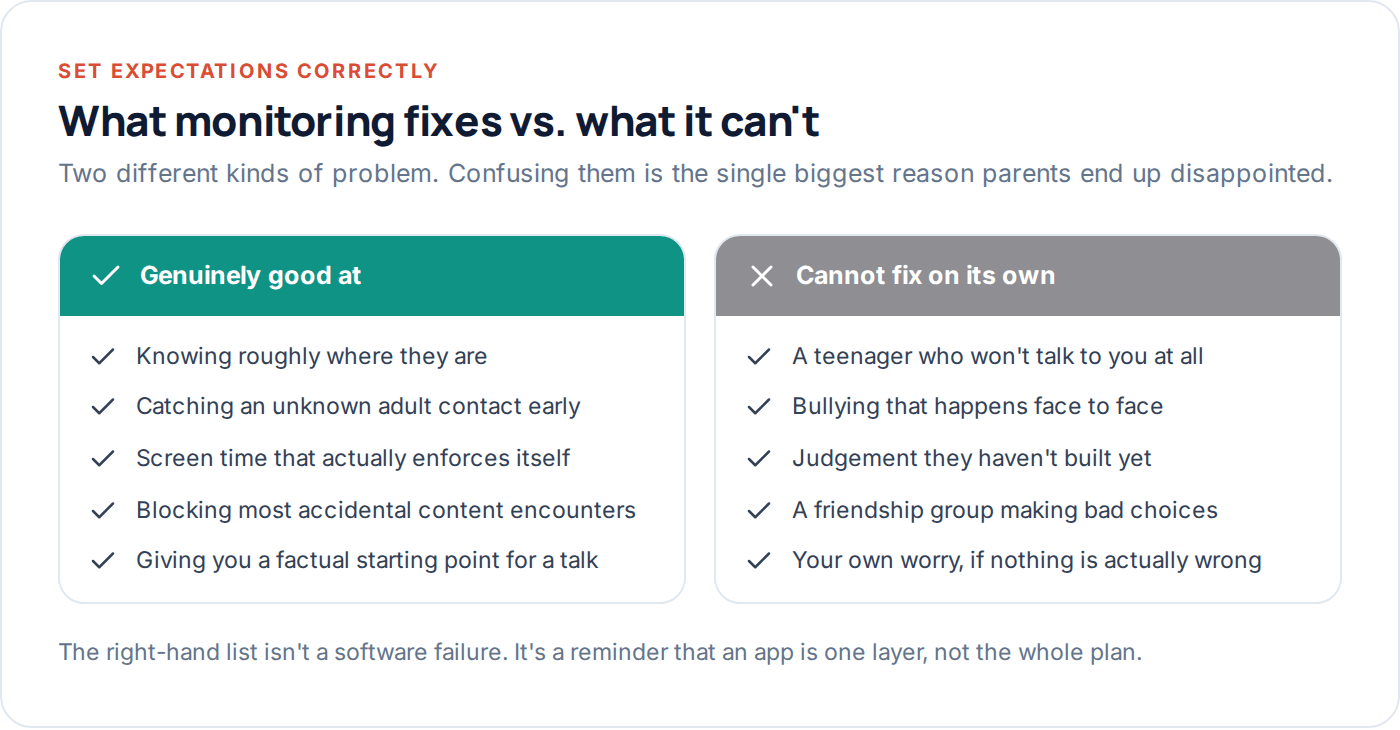
And a keyword alert on a genuinely worrying word or phrase — arranged in advance, used sparingly — does occasionally catch the thing it was built for: an adult stranger pushing to meet up, a plan that sounds unsafe. It’s a low-frequency, high-value feature, not a general-purpose reading of everything your child writes.
Reliable
Location, screen time totals, app blocking, arrival alerts. These work consistently on both major platforms and rarely disappoint.
Partly reliable
Who’s messaging your child, keyword flags, content filtering. Genuinely useful, but dependent on permissions staying granted and settings staying on.
Not reliable
Full message content on a stock iPhone, anything requiring the child’s cooperation to keep working, predicting a problem before it happens.
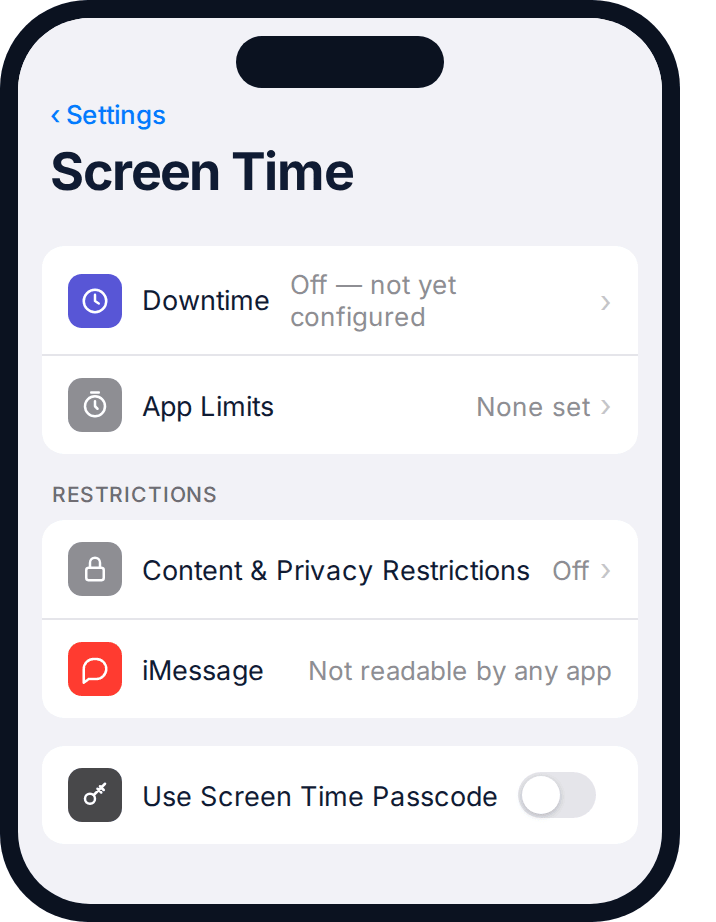
The settings screenshot above is worth sitting with for a moment. Even with nothing configured, message content simply isn’t available to a third-party app on a stock iPhone — that’s not a setting anyone forgot to turn on, it’s how the platform is built. No subscription changes that fact, whatever a sales page implies.
What it cannot fix, no matter the app
This is the section most product pages skip, and it’s the one that prevents the most disappointment. Monitoring software cannot fix a teenager who has already decided not to talk to you — it can only tell you that something might be wrong, not why, and not what to do about it. It doesn’t touch bullying that happens in a school corridor rather than a chat thread. It doesn’t build the judgement a fifteen-year-old needs before they’re managing their own phone with no oversight at all — if anything, too much of it can slow that down.
And it does not fix your own anxiety, if the anxiety isn’t actually tied to something happening. Some parents install a monitoring app, see a normal, unremarkable week of data, and feel briefly reassured — then the worry resets and they’re checking again the next day. If that’s the pattern, the fix is closer to a conversation with a professional than another feature toggle.
Matching the tool to the actual problem
Different worries call for different tools, and most disappointment traces back to using the wrong one.
| What you’re worried about | What actually addresses it | What won’t |
|---|---|---|
| Screen time fights | Built-in platform limits, agreed together | Reading their messages |
| A stranger contacting them | Keyword alerts, knowing who they message | General location tracking alone |
| Not knowing where they are | Location sharing with arrival alerts | Screen time reports |
| Accidental adult content | Content filtering at the network and device level | Message monitoring |
| A general unease you can’t name | A direct conversation with your child | Any app, on its own |
Read the last row twice. It’s the one most people skip past, and it’s the one worth sitting with the longest before opening a payment page.
It’s also worth noticing how narrow the “what won’t” column is in every row above. That’s deliberate. Each tool in this guide is genuinely good at one or two specific jobs, and noticeably weaker once you ask it to do something adjacent — a screen time app is not a stranger-detection tool, and a keyword alert is not a substitute for knowing your child’s actual friend group. Matching the tool tightly to the worry, rather than reaching for whichever app promises the most, is most of what separates a setup that earns its place from one that gets abandoned within a term.
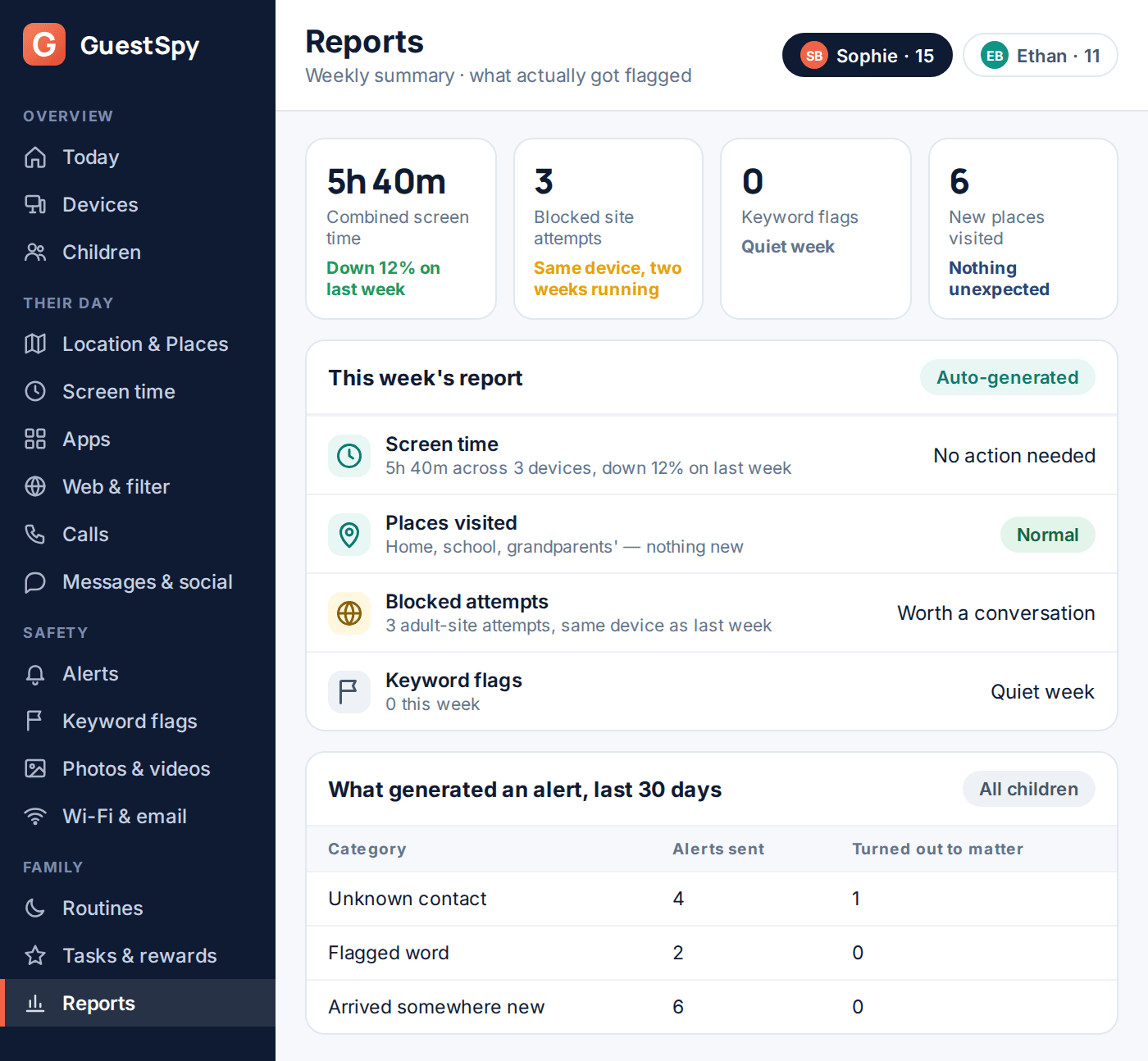
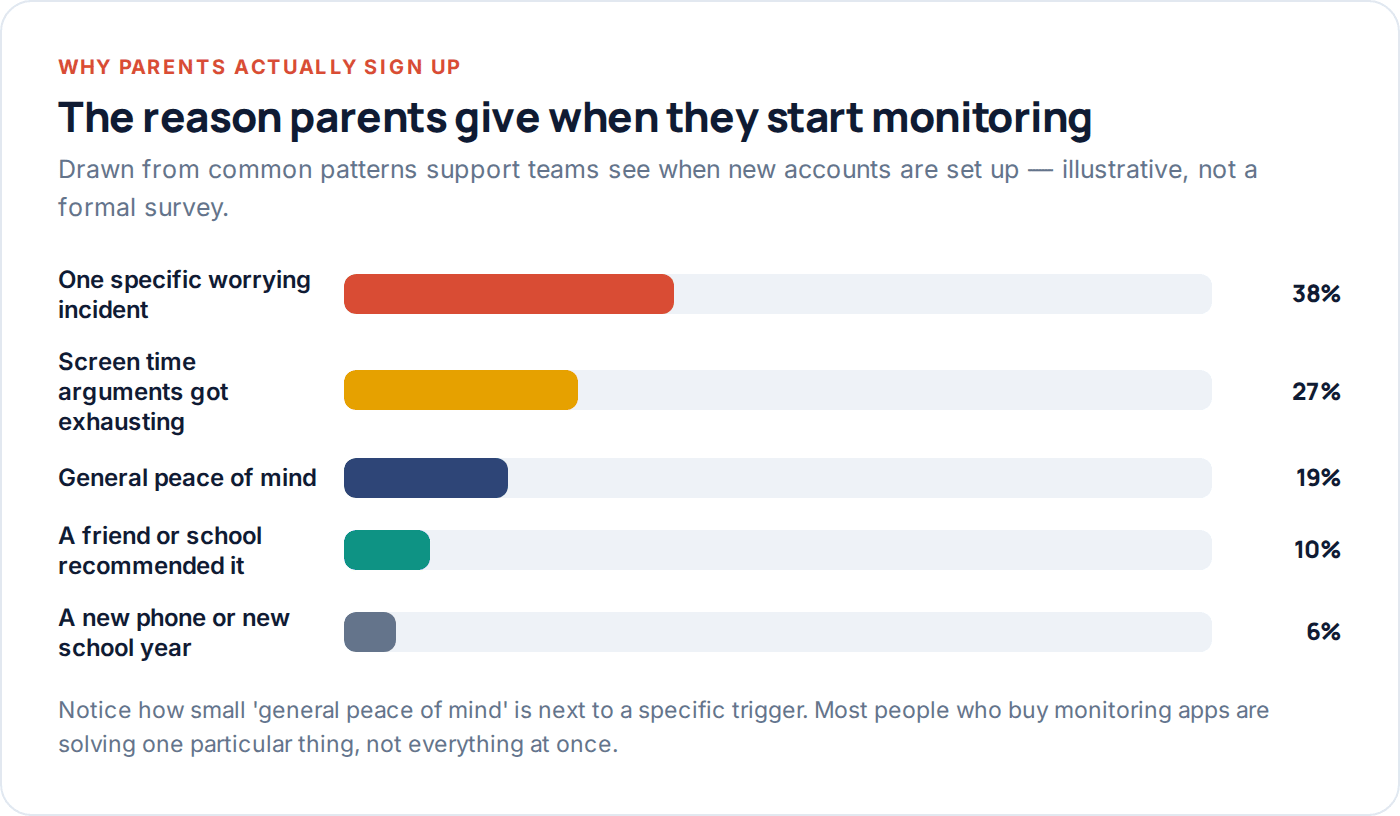
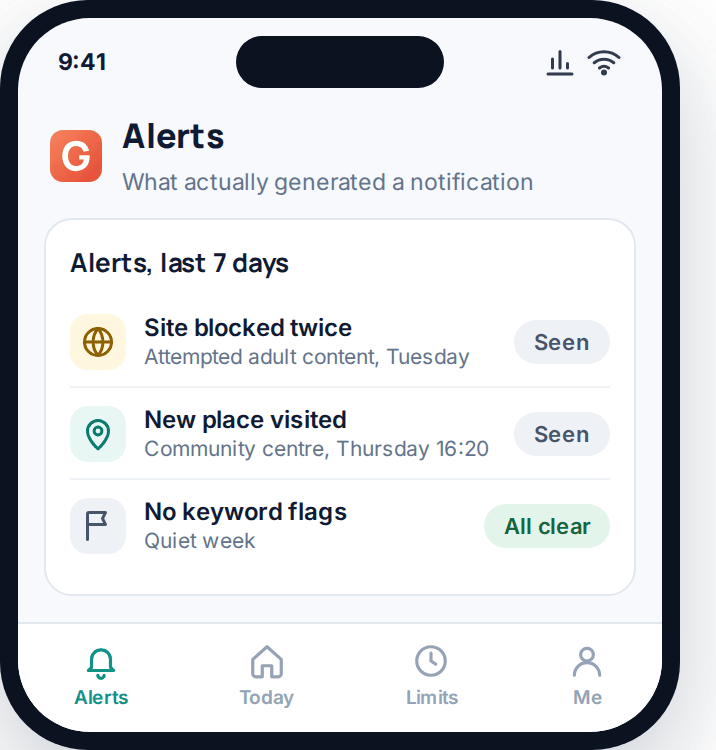
What a realistic weekly report actually looks like matters here too. Most weeks, most of it is quiet — a screen time total, a handful of ordinary locations, nothing flagged. That’s not the app underperforming. It’s what an accurate picture of an ordinary week looks like, and it’s worth expecting that going in rather than a running feed of incidents.
The real cost: time, trust and money
Three costs get underweighted when a product page only talks about price. Time — setup, and then genuinely reading the reports rather than letting them stack up unread, which takes ten or fifteen minutes a week if you actually do it. Trust — every category you turn on is something your child now knows you can see, and each one is a small withdrawal unless it’s balanced by something in return. And money, which is the smallest of the three for most families but the only one most comparisons actually mention.
Weigh all three, not just the subscription price, against what you’re actually solving. A £5-a-month app that quietly damages the relationship is more expensive than a free tool that solves the real problem.
A realistic alerts tab, like the one above, is a useful gut check before you buy anything. If a company’s demo shows dozens of urgent-looking notifications a day, that’s not a sign of thoroughness — it’s a sign you’ll mute it within a fortnight. A handful of notifications a week, most of them low-stakes, is what a sustainable setup actually looks like.
Do you actually need a paid app
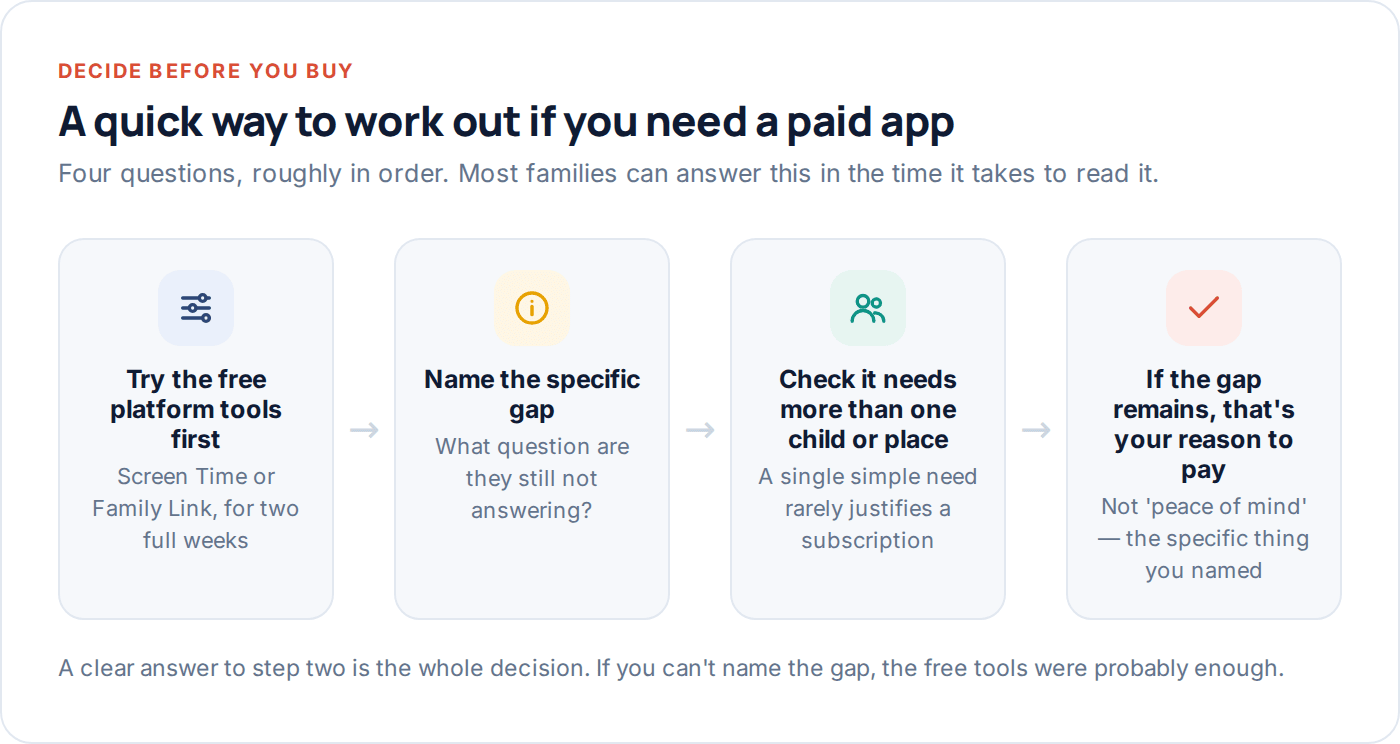
Genuinely, not always. The free platform tools — Screen Time on iPhone, Family Link on Android — cover location, screen time and blocking well, at no cost, and they’re where every family should start regardless of what they end up doing next.
A paid app earns its place when there’s a specific gap the free tools leave open: alerts on particular words, visibility into who’s messaging your child rather than just how long they’re on the phone, or one dashboard covering more than one child in more than one place. If you can’t name that specific gap after two weeks with the free tools, you probably don’t need to add anything yet.
Working through it roughly in that order — free tools first, then a precise gap, then a check that the gap actually needs more than one child or one location to justify a subscription — keeps the decision honest. Most families who skip straight to “let’s get an app” end up paying for a dashboard that mostly repeats what Screen Time or Family Link were already telling them for free.
Choosing one without getting oversold
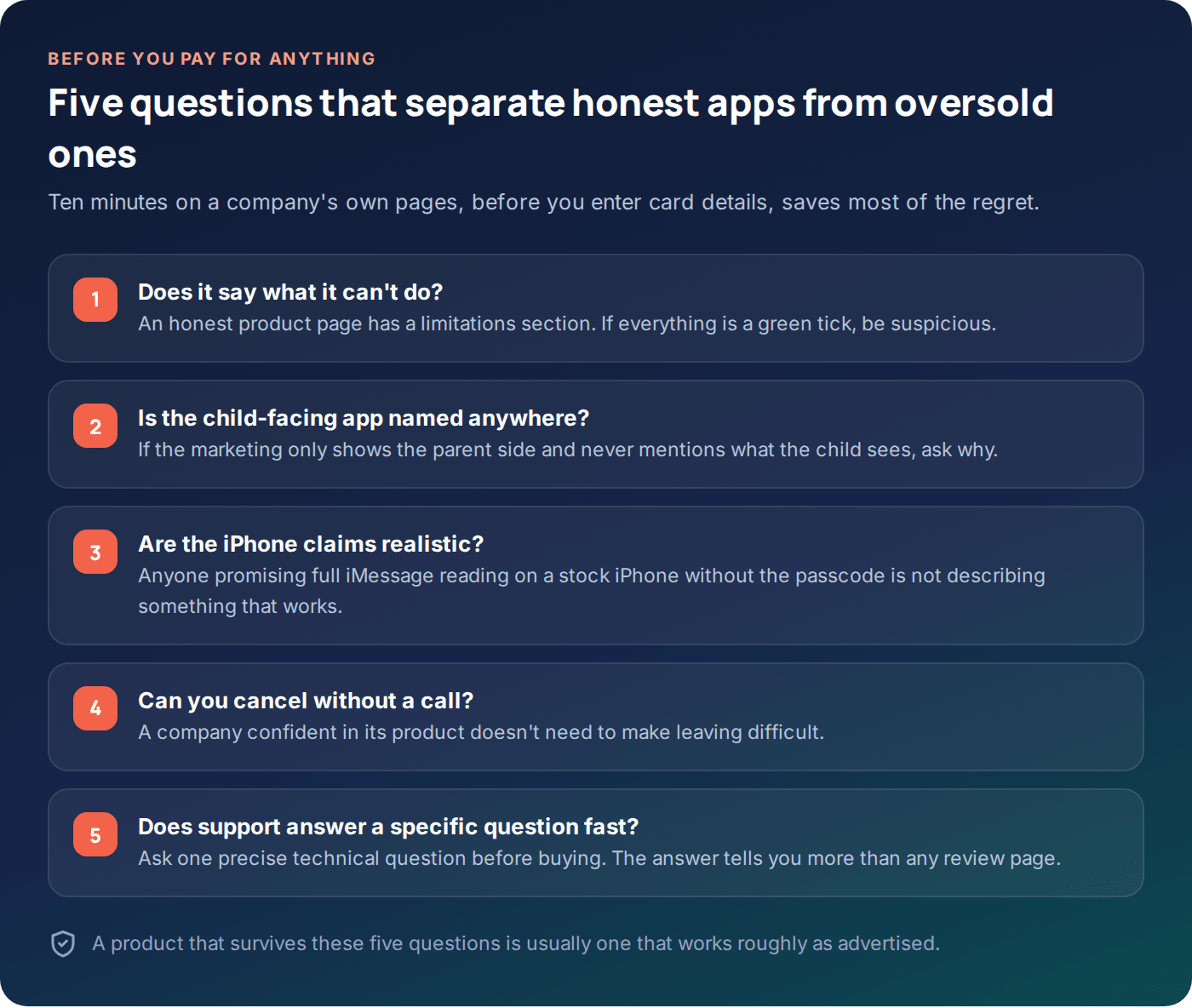
If the gap is real, a short evaluation saves regret later. Look for a company that states its limitations as clearly as its features — anyone who claims to read full iMessage content on a stock iPhone without the passcode is not describing something that actually works. Check whether the child-facing side of the app is mentioned at all; a product that only shows you the parent dashboard and never the transparency screen the child sees is telling you something about its priorities.
It’s worth being similarly sceptical of pricing pages that bury the cancellation process behind a phone call, or reviews that read suspiciously uniform — a handful of oddly similar five-star reviews posted in the same week is a more common red flag than most parents expect. None of this takes long to check, and all of it is faster than living with a subscription that oversold what it does.
- Read the limitations page first, not the features page. It tells you more.
- Ask one specific support question before paying — the answer quality predicts everything else.
- Check the cancellation flow before you need it, not after.
- Confirm the child app is visible and named somewhere in the marketing, not hidden as an afterthought.
Questions parents actually ask
Is a paid monitoring app better than the free built-in tools?
Not automatically — it’s better at a narrower set of things: message-adjacent alerts, one view across multiple children, and finer-grained flags. For pure location and screen time, the free tools are genuinely competitive and cost nothing.
Why do adverts promise so much more than the app delivers?
Because the platforms themselves — particularly iOS — deliberately restrict what any third-party app can see, for security reasons. Marketing written before those limits sank in, or written to obscure them, tends to promise more than what ships. It’s worth reading limitations pages, not just feature pages.
Will monitoring stop my child from being contacted by a stranger?
It significantly reduces the odds of that going unnoticed for long, mainly through keyword alerts and visibility into who they’re messaging. It does not prevent the contact from happening in the first place — no software does.
How much time does monitoring actually take, week to week?
Realistically ten to fifteen minutes a week if you’re reading a weekly summary rather than checking constantly. Families who check multiple times a day tend to burn out on it within a couple of months and stop reading it at all.
Is it normal for the app to show almost nothing most weeks?
Yes, and that’s a good sign, not a sign the app isn’t working. Most weeks in most families are quiet. The value shows up in the occasional week that isn’t.
Should I cancel if nothing has ever been flagged?
Not necessarily — a clean report is the expected outcome most of the time, not evidence the tool is doing nothing. Reassess against the specific gap you set it up to cover, not against how much it has “caught.”
The honest bottom line
Monitoring works well for a specific, narrower list of things than the adverts suggest, and it does none of the emotional or relational work on its own. Start with the free platform tools, name the actual gap if one remains, and only then look at a dedicated app such as GuestSpy — with its weekly reports and keyword alerts aimed at the narrow list of things software is genuinely good at, not the everything the adverts imply.
The families who stick with monitoring long-term are almost never the ones expecting it to solve everything. They’re the ones who knew, going in, exactly what it was for.
Keep reading
At What Age Should You Monitor Your Child’s Phone?
There is no single right age — there's a right amount of monitoring for each stage. Here's the age-by-age framework,…
What to Do When You Find Something Worrying on Your Child’s Phone
A calm, practical playbook for the moment you see something worrying: what to do first, what not to do, and…
Monitoring vs. Spying: Where Parents Should Draw the Line
A working framework for the monitoring vs spying question: four questions to ask about any situation, and how common grey…