Wi-Fi and email: the two quiet lists
A record of which networks the phone joined and when, which is a surprisingly good answer to "where were you indoors". And, on the direct build with consent, the sender and subject lines of email, with the bodies left unread.
Wi-Fi history in both builds · email headers on the direct build with a consent switch · logs kept 90 days
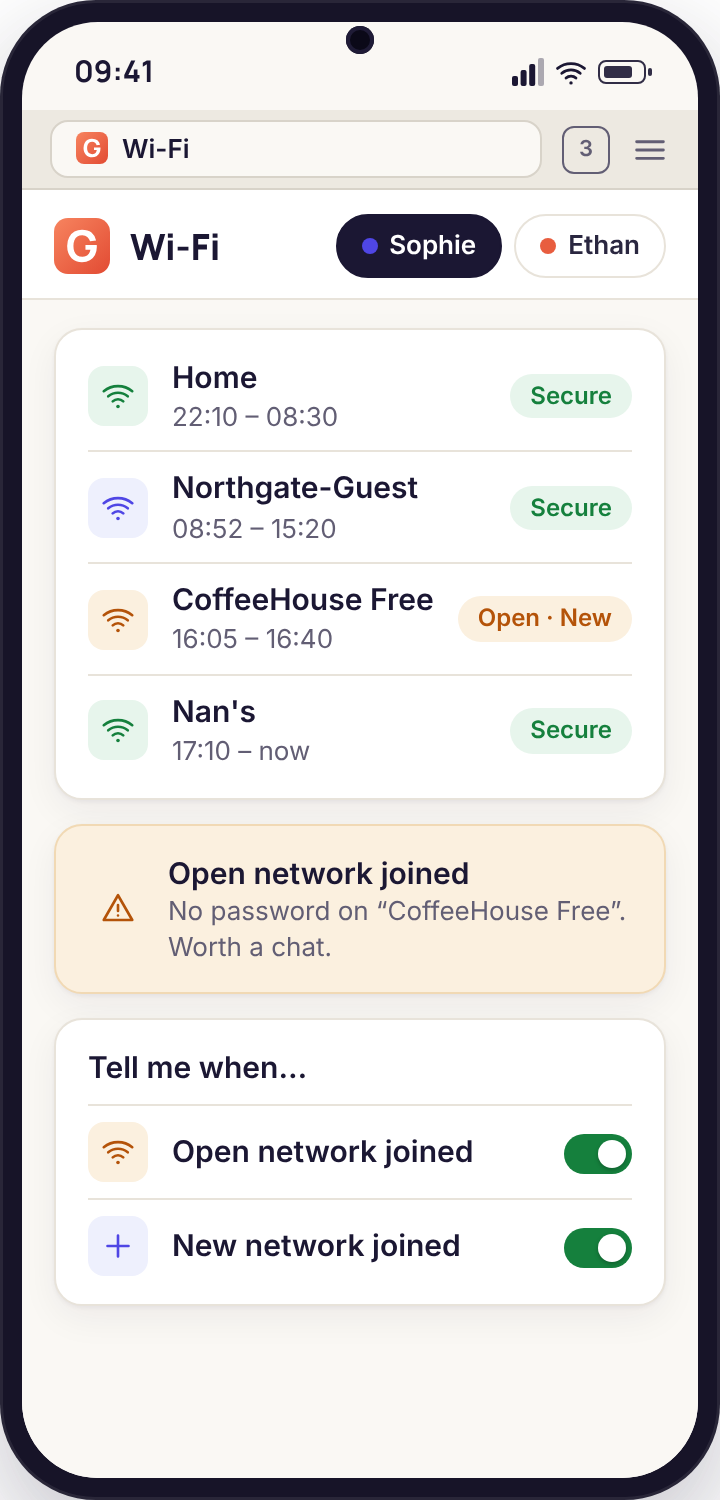
- Wi-Fi history is a list of network names with times. Join, leave, how long, and two flags: new (first time this phone has joined it) and open (no password).
- It works in both builds. Network history needs no consent switch beyond the location permission Android ties it to, and it is listed on the Transparency screen like everything else.
- Indoors, it is often better than the map. A phone that joins "Nan-Hub-5G" at 15:52 is at Nan's, whatever the GPS dot says.
- Email is headers only. Sender and subject, time and account. No bodies, no attachments, no replies. Direct build, and the switch is accepted on the phone by the child.
- Ninety days, then gone. Both lists are kept with the other logs and deleted on a rolling basis. Unpairing stops them the same minute.
Two lists that are mostly boring, which is the point
Network history with join and leave times
Each time the phone connects to a Wi-Fi network the app writes one line: the network's name, the time it joined, and later the time it left. The panel groups these by day. A typical school day for Sophie reads: Home 06:40 to 08:05, Westfield-Academy-Students 08:31 to 15:24, Home 15:51 onwards. Nothing in that line needed the map, and it would read the same on a phone with location set to a low-power mode.
Two flags do the useful work. New marks a network this phone has never joined before, so a first visit to a friend's house shows up as a line you have not seen. Open marks a network with no password, which is both a security point and a conversation starter, because open networks are the ones in cafés, stations and shops. A new open network at 21:30 on a Wednesday is one of the few lines in this list that deserves a second glance.
- Network name, join time, leave time, duration, grouped by day
- New flag on a first join; open flag on networks without a password
- A count per network per week, so the usual places are obvious
- Kept for 90 days with the other logs
Why a router beats GPS indoors
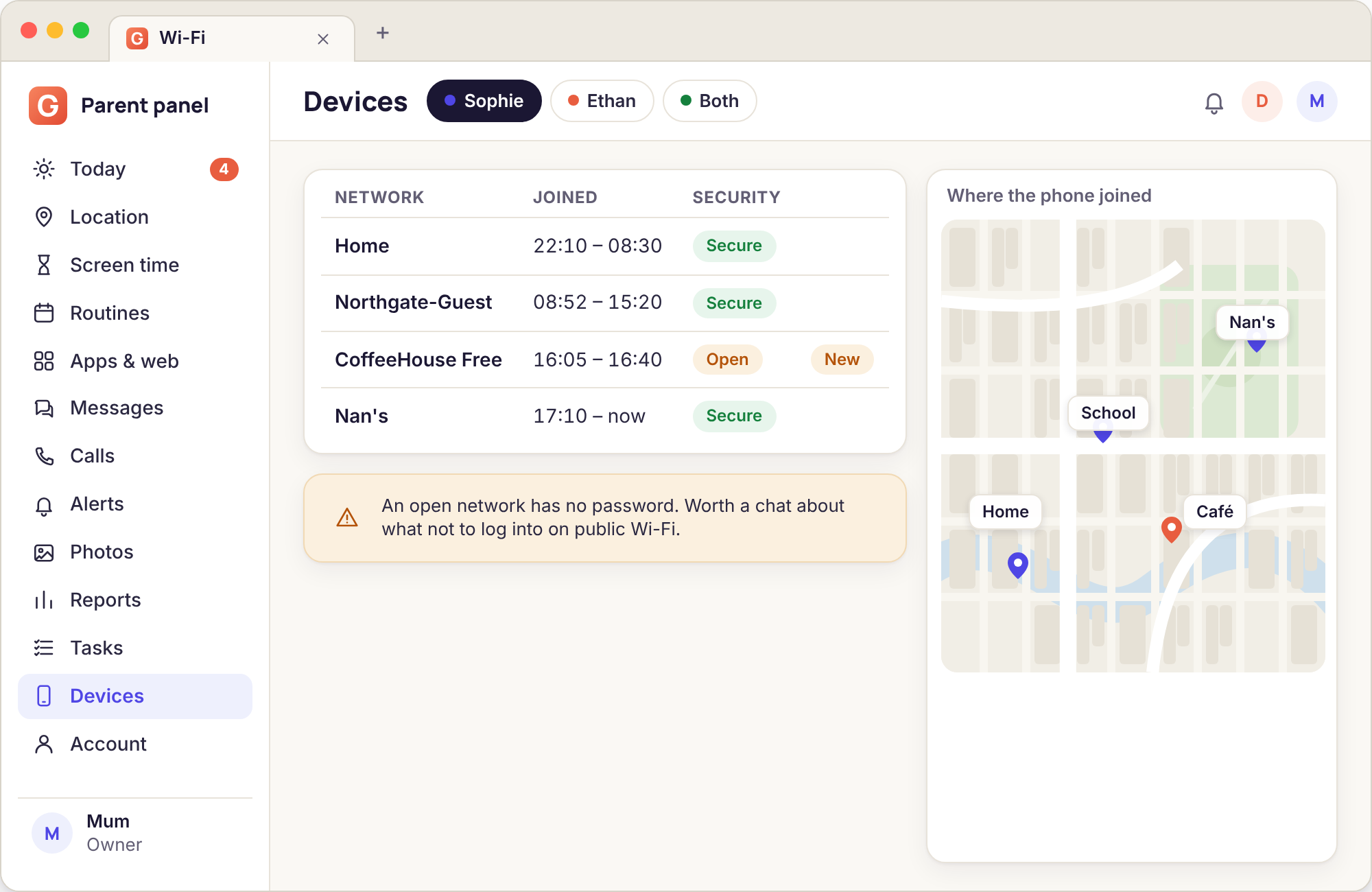
Satellites do not reach into a house. Inside, Android estimates position from nearby network names and cell towers, and the result wanders: the dot sits in next door's garden, the accuracy ring covers four houses, the Home place fires a Leave alert because the estimate drifted over the boundary while the phone was on the kitchen table. Everyone who has used a location feature has seen it.
A Wi-Fi join is a different kind of fact. A phone cannot connect to the router in Nan's hallway from the pavement outside, let alone from the park. So when the list says "Nan-Hub-5G joined 15:52", you know the phone was within a few rooms of that router at 15:52, which is a more precise statement than any indoor GPS fix can make. Used together, the map tells you the route and the network list tells you which building the route ended in.
- A join proves the phone was within range of a specific router
- Unaffected by the indoor drift that moves the map dot
- Works with Android's location set to any mode, as long as the app has the permission
- Names the building when the accuracy ring only names the street
Email headers only
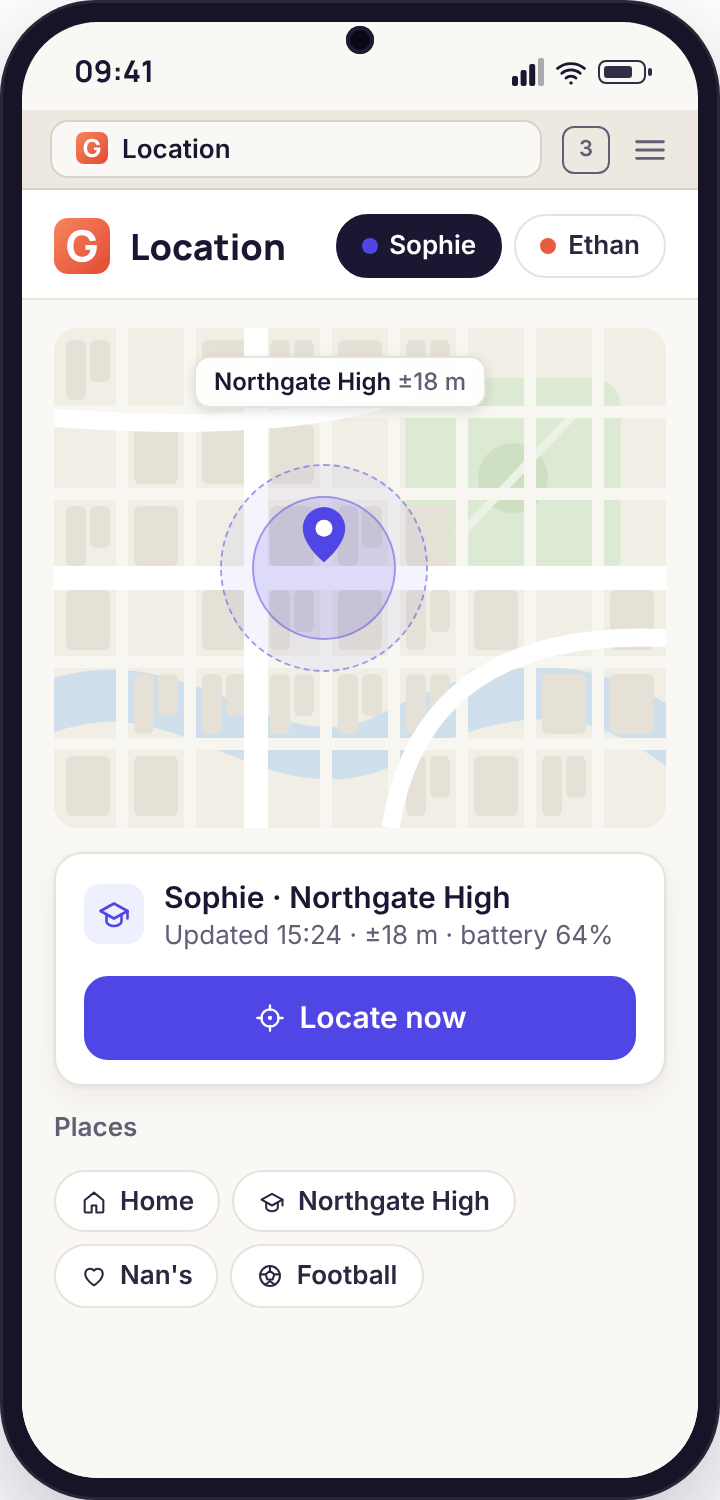
Email is where sign-ups, receipts, password resets and the occasional adult stranger end up, and for most children under sixteen it is also where nothing much happens. The app reflects that. With the switch on, it records the sender, the subject line, the time and which account on the phone received it. It does not open the message, fetch the body, download attachments or follow links, and it does not see anything the child sends.
What this gives you is the shape of an inbox: an account created on a gaming site at 23:50, a run of "your verification code" subjects from a service you have never heard of, a "we miss you" from a betting app on a fourteen-year-old's phone. Each of those is a conversation, and none of them needed the body of the email to be read.
- Sender, subject, time and account, listed newest first
- Unknown-sender flag on an address the phone has not received from before
- Switch accepted on the phone; visible on the Transparency screen
- Kept 90 days, deleted on a rolling basis
GPS, Wi-Fi joins and Place events, side by side
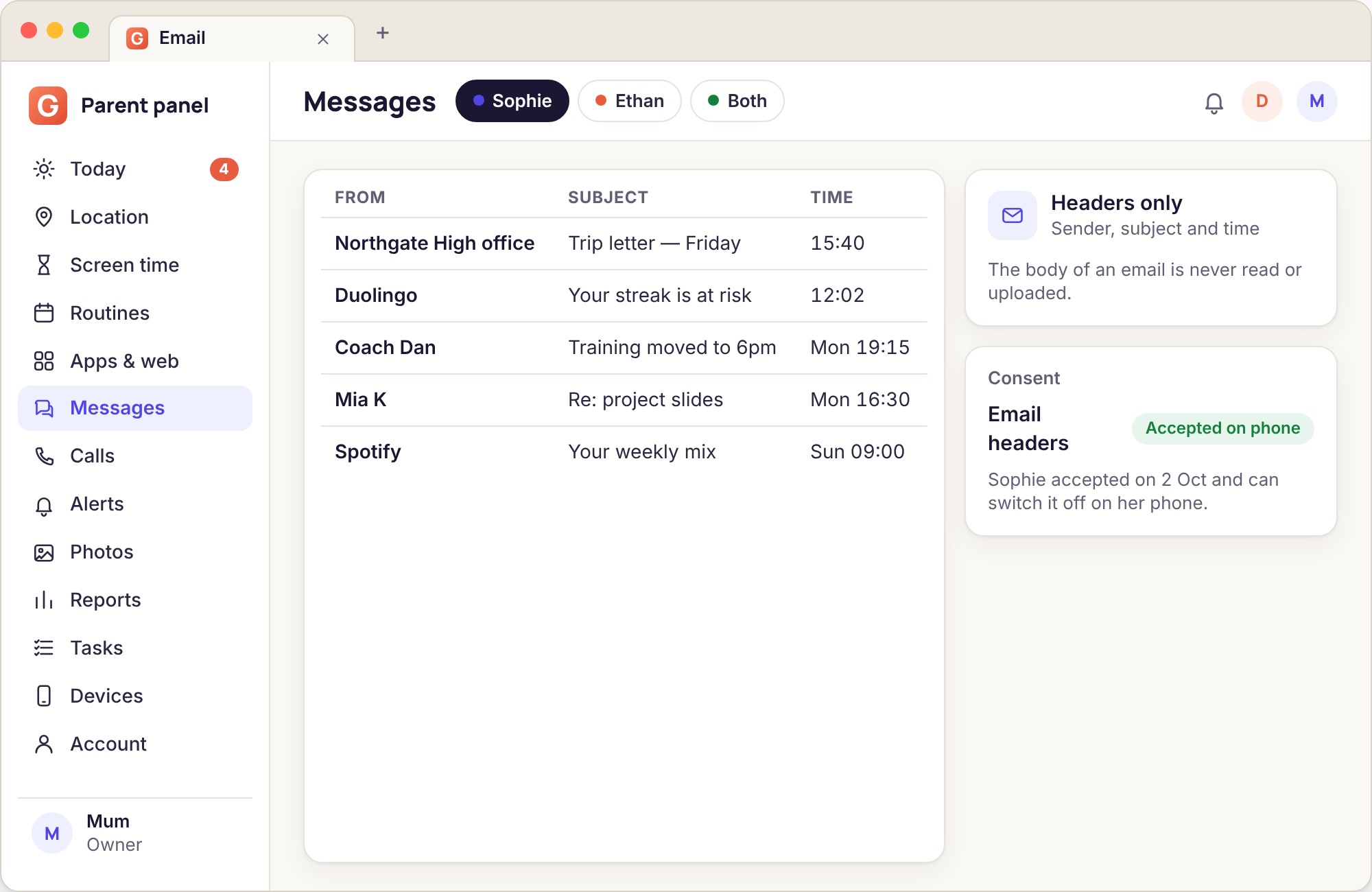
They answer slightly different questions. The table shows which to look at first.
| Question | GPS fix on the map | Wi-Fi join or leave | Place event (arrive, leave, left early) |
|---|---|---|---|
| Which street, outdoors? | Best, with a tight ring | Nothing between networks | Only at a Place boundary |
| Which building, indoors? | Drifts; ring can cover several houses | Best, if the building has Wi-Fi the phone knows | If a Place is drawn round it |
| What time did they arrive? | Depends on the fix schedule | Join time, to the minute | Arrive time, to the minute |
| Tells you without looking? | No, you open the map | No, it is a list | Yes, by push or email |
| Works with no mobile data? | Fixes are stored and uploaded later | Joins are stored and uploaded on the next connection | Alert fires when the phone next connects |
| Shows a first visit somewhere? | Only if you notice it on the history | The New flag does exactly this | Places are only the ones you drew |
| Visible to the child? | On the Transparency screen | On the Transparency screen | Places are listed in the child's app |
Reading a week of networks
Most weeks the list is Home, School, Home. These four patterns are the ones worth noticing when they appear.
The same new network, three evenings running
A New flag on Monday on a network called something like "SKY-7F2A1" and then that network again on Tuesday and Thursday, 16:10 to 18:30 each time. Someone's house has become a regular. Perfectly normal for a teenager, and worth knowing whose house it is. The map will show you the street; a question at dinner will give you the name.
School Wi-Fi that stops at lunchtime
Westfield-Academy-Students joined at 08:31 and left at 12:40, with nothing until Home at 15:50. The phone either left the building at lunch or went into a pocket with Wi-Fi off. The School place on the map decides which: if the Leave alert fired at 12:41 the phone left; if not, it probably stayed and the Wi-Fi was switched off, which is a different and smaller conversation.
An open network late at night
A network with the open flag, joined at 23:10 on a school night, named like a shop or a transport operator. The phone was out, in a public place, at an hour when it should have been on the bedside table. Check the map for the same time before saying anything; sometimes the phone was in a parent's car outside a late-opening supermarket.
No networks at all for two days
An empty list on Saturday and Sunday is not a problem by itself; it usually means the phone was on mobile data all weekend, or the child had Wi-Fi turned off to save battery. Combined with the map showing the phone at a new address, it can mean a house the family does not know. Combined with the phone showing offline in the panel, it means the phone was off.
Open networks: the safety chat. A network with no password lets anyone on it see what other devices are doing in plain text. The practical rule for a child is short: do not sign in to anything on café Wi-Fi, and if the phone offers to join an open network it has not seen before, say no. The open flag in the list is a good prompt for that chat, once, rather than a reason for alarm every time it appears.
What email headers show, and what is never read
The email feature is deliberately the smallest thing it can be while still being useful. A child's inbox is mostly automated mail, and the information a parent needs from it is almost entirely in the sender and the subject. "Welcome to your new account" from a site you did not know about, "Your order has shipped" when no order was agreed, "Password reset" at two in the morning. Those are the signals, and they sit in the header.
So that is all the app reads. It asks Android's notification system for the sender and subject of each new message as the mail app announces it, records those with the time and the account, and stops. It never opens the mail app, never signs in to the account, never has the password, and never sees anything the child writes. If the child's mail app shows no notifications, the app sees nothing at all, which is why this works on the direct build with a switch rather than as a background sync.
- Sender name and address
- Subject line, as the mail app showed it in the notification
- Time received and which account on the phone
- A flag on a sender address the phone has not received from before
- The body of any message, incoming or outgoing
- Attachments, images or links inside messages
- Anything the child sends, drafts or deletes
- The account password, or access to the account from the panel
A worked example from the demo family: on Thursday at 22:14, Sophie's phone received "Confirm your email" from a sender at a games marketplace, then at 22:16 "Your verification code is 48213", then at 22:20 "Welcome, Soph_x". No body was read, and none needed to be. An account was created on a marketplace that trades real money for in-game items, at a time she was meant to be winding down. Her mother raised it on Friday and they looked at the site together.
Where these lists go quiet or go wrong
The network list is empty but the phone is clearly online
Android only lets an app read the name of the current Wi-Fi network when the app has the location permission, and on Android 10 and later it must be the "all the time" setting. Without it, the phone connects normally and the app sees nothing.
Fix: on the phone, open the Permissions walkthrough and set Location to "Allow all the time". The list fills in from the next join.
Join and leave times look wrong
Phones drop and rejoin Wi-Fi constantly at the edge of range: a child moving between the garden and the kitchen can produce a dozen join and leave pairs in an hour. The panel merges gaps under two minutes, but a weak router still looks like a restless phone.
Fix: read the first join and the last leave for the day, and trust the duration total rather than the individual lines.
Email shows nothing, even with the switch on
The app sees email only through the notifications the mail app posts. If notifications for the mail app are off, or the mail app only syncs when opened, there is no header to record. The same is true of every monitoring tool on Android.
Fix: on the phone, turn on notifications for the mail app and check it is allowed to sync in the background. With the child present, since it is their phone and their settings.
A subject line is cut off or missing
Some mail apps put only the sender in the notification and keep the subject for the inbox view, and others truncate long subjects. The app records what the notification contained and does not go looking for more.
Fix: accept it. A sender and a time is still most of the signal, and the alternative would be reading the inbox, which this feature does not do.
Wi-Fi and email, answered
Can I see what my child does on the Wi-Fi?
No. The list is network names and times, nothing more. The app does not inspect traffic, does not see which sites were visited over a given network and does not know who else was on it. Website activity is a separate feature with its own blocked-site log, and it runs on the phone, not on the router.
Does the Wi-Fi history need the direct build?
No, it is in the Google Play build. It needs the location permission set to "Allow all the time", because Android treats a network name as location data, and it appears on the Transparency screen like every other category. Email headers are the part that needs the direct build and a consent switch.
Can I see the actual emails?
No, not on any build or setting. The app records the sender, subject, time and account from the notification the mail app posts, and nothing else. It does not have the account password, cannot open the inbox and sees nothing the child sends. If you need to read a specific email, ask your child to show you.
Does it work with Gmail, Outlook and school email?
It works with any mail app that posts a notification containing the sender and subject, which includes Gmail, Outlook and most school and webmail apps. An app with notifications turned off produces nothing, and some apps omit the subject from the notification, in which case only the sender is recorded.
What does the open flag actually mean?
A network with no password, so anyone nearby can join it and, in principle, see unencrypted traffic from other devices on it. Most websites are encrypted now, so the practical risk is lower than it was, but the flag is still a useful prompt for a one-off chat about not signing in to things on café Wi-Fi.
How long is the history kept?
Ninety days for both lists, deleted on a rolling basis. You can export either list from the panel before then. Unpairing the phone stops both immediately, and a full account deletion removes everything within the window.
Network history is a quiet companion to the map rather than a feature on its own, and it reads best beside location tracking and Places, call monitoring and alerts and keyword flags.
Pair the phone once and wi-Fi history and email headers is ready to switch on from your browser. Pairing takes about fifteen minutes with your child present, and the setup walkthrough shows each screen as it appears.
Know the building, not just the street
The network list fills itself in from the first join and asks nothing of you after that. Pair the phone, grant the one permission it needs, and look at it on the day the map is vague.
Android child app · Runs in any browser · Visible on the phone