Who called, who they called, and for how long
The call log is the least dramatic screen in the panel and one of the most useful. It does not tell you what was said. It tells you that a number you have never seen rang at ten to eleven, that a call to a friend lasted most of an hour, and that Grandad's three attempts on Sunday never connected. Those are the facts a parent can do something with, and the page below walks through four of them the way they actually happen in a house.
Direct-download build · Phone permission · Listed on the child's Transparency screen
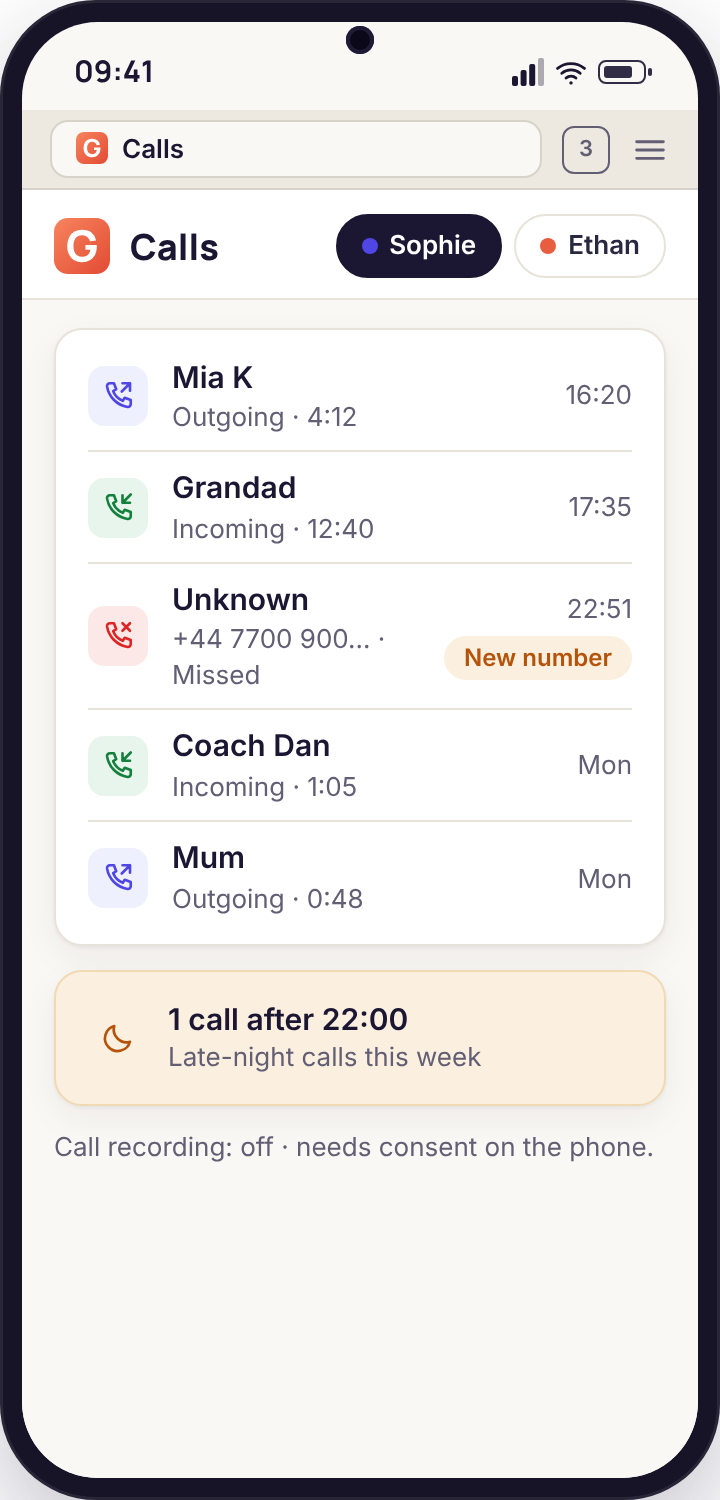
- Five facts per call: the name or number, the direction, when it happened, how long it lasted, and whether the number is new to the phone.
- Nothing about the conversation itself. The log is metadata. That is deliberate, and it is enough for almost every question a parent brings to it.
- New numbers are flagged, late calls are counted. The two things worth a second look are surfaced; the rest is a list you will rarely read.
- Recording is a separate thing. It needs the direct-download build, a consent step on the child's phone, and a handset that allows it, which many recent ones do not.
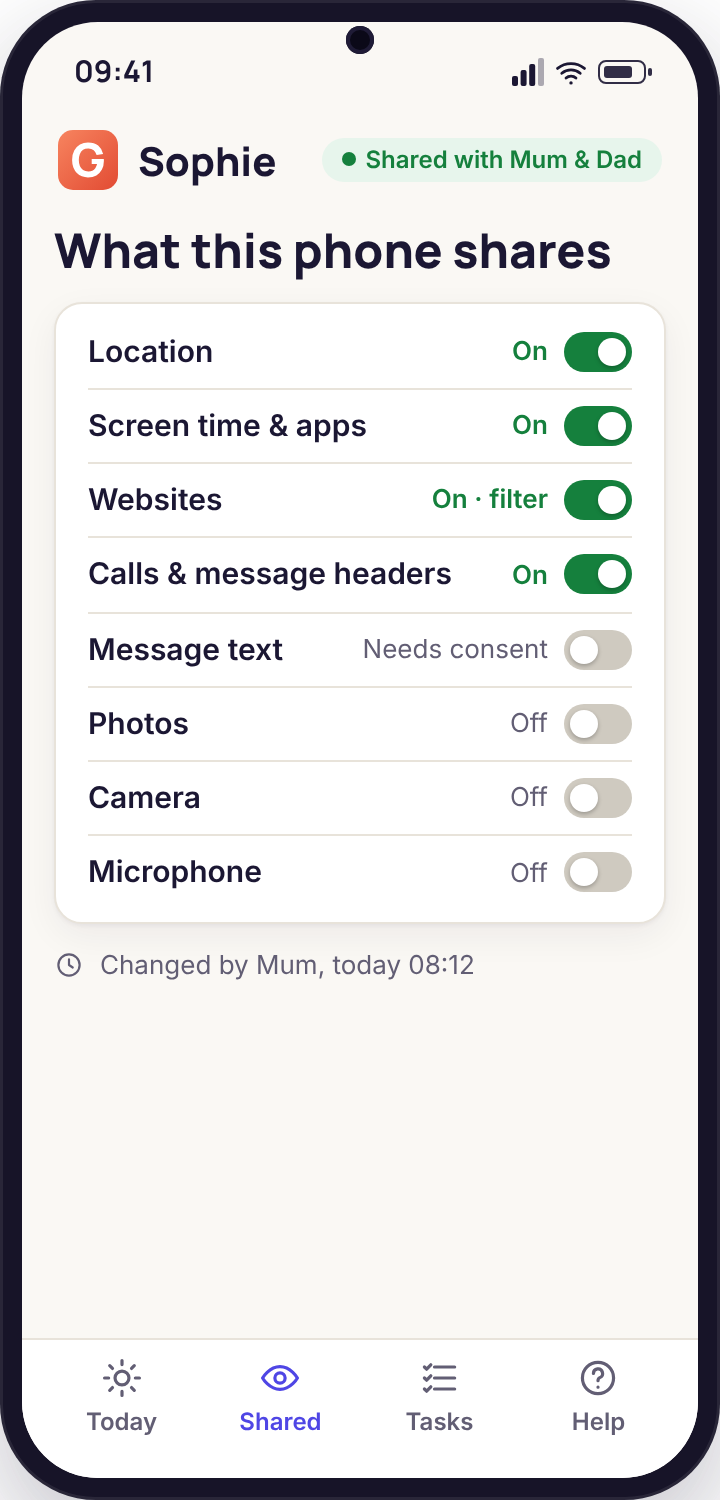
- Your child can see the same log. The Transparency screen on their phone shows calls as a shared category, on or off, in plain words.
The number that rings late at night
Tuesday, 22:51. Sophie's phone rings for eleven seconds and stops. The number is not in her contacts, it has never appeared in the log before, and it is well after the time the house has agreed phones go quiet. On Wednesday morning the panel's Today page has a single line waiting: Missed call · new number · 22:51. It is not an alarm. It is a note.
What the log can tell you is limited and exact. The number, the fact it was missed, the time, and the flag that says the phone has never spoken to it before. What it cannot tell you is who it was, whether it was a wrong number, a friend's new SIM, or something you would want to know about. Most late calls from unknown numbers are the first two. The honest use of the log is to notice the pattern rather than the moment: one missed call is a Tuesday; the same number three nights running is a conversation.
A parent who opens the panel every morning looking for drama will be disappointed, which is the point. The call screen is designed to be boring on a normal day. The late-call counter at the top of the list exists so you do not have to read the whole thing: 1 call after 22:00 this week is a number you can glance at over coffee and forget.
One missed call, one new number
The log records the number, the direction, the eleven-second ring and the new-number flag. The weekly counter ticks to one call after ten.
Nothing else fires. There is no rule that says a late call must be reported, so it waits quietly for the morning.
The same number, three nights
A pattern is where the log earns its place. Three missed calls from one unsaved number, all after ten, is worth asking about even if each one alone is nothing.
The alert rules page can turn that pattern into a notification, but most families never need to; the morning glance is enough.
The call that lasted forty-eight minutes
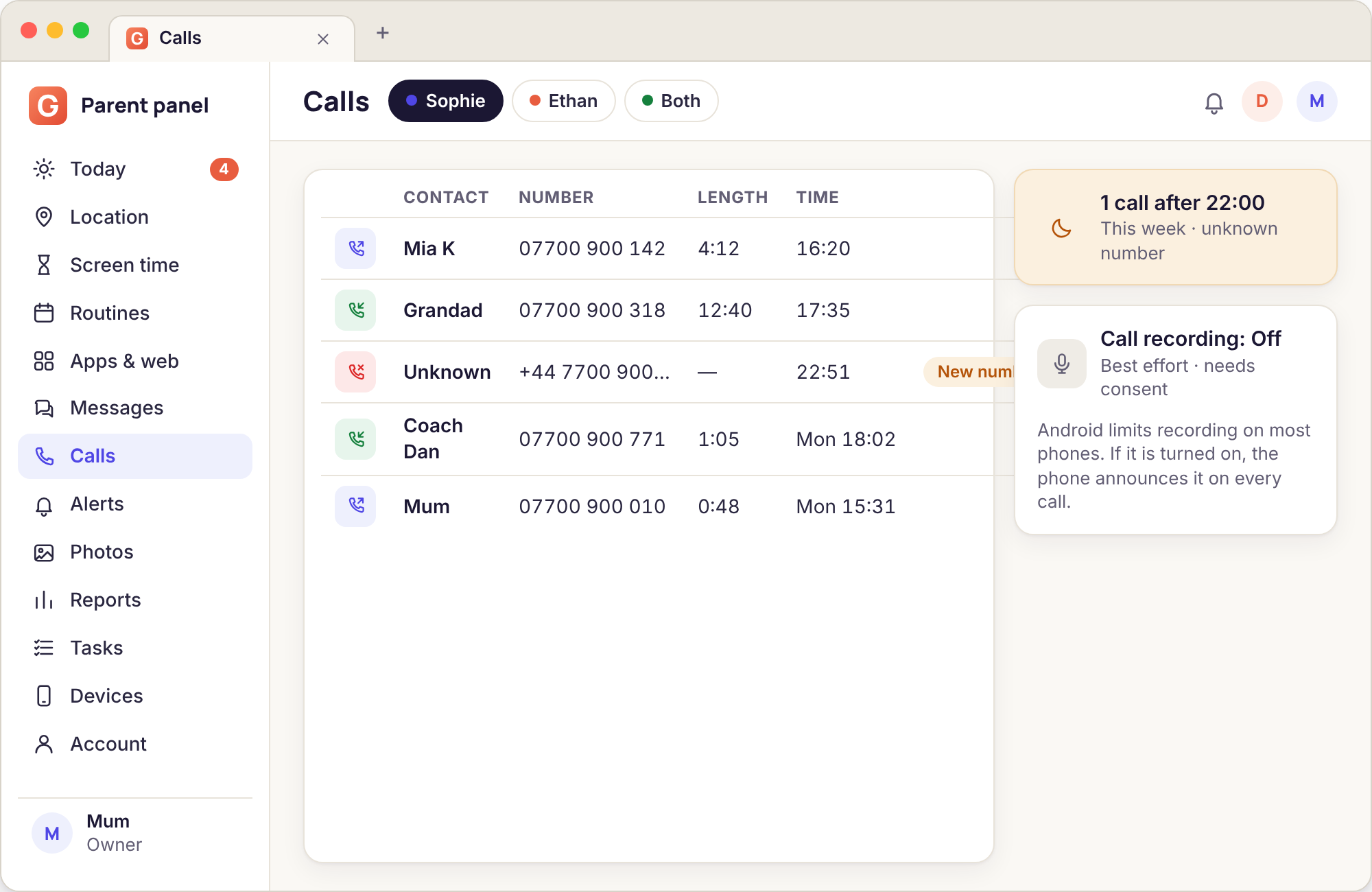
Thursday, 16:40 to 17:28. Ethan, who is eleven and has never willingly made a phone call in his life, spends most of an hour on one. The panel shows an outgoing call to Jamal, duration 48:12. Nothing is flagged, because nothing about it is unusual by the log's standards: a saved contact, daytime, a long call. It shows up only because you happened to look.
This is the situation where parents most want the log to be something it is not. It cannot tell you what two eleven-year-olds talked about for forty-eight minutes, and we would not build a version that could without his knowledge. What it gives you instead is context you did not have before: that the friendship is real enough to sustain a long call, that it happened in homework hour, and that the homework-hour routine does not block calls to saved contacts because you chose, correctly, to leave calls alone when you set it up.
The duration column is the one most parents end up reading. It does not need interpretation. A string of two-minute calls is logistics. One long call in a week is a friendship. A long call every evening to one number from a child who used to talk to nobody is a change, and change is what you are watching for, not content.
A long call in homework hour
The routine for 17:00 to 18:00 limits games and video and leaves Phone, Messages and Maps untouched, so the call carried on past five o'clock without interruption. The log recorded the start, the end and the contact.
If the call had been to an unsaved number the row would carry a new-number flag; it was not, so the row is plain.
Grandad cannot get through
Sunday, three incoming calls from Grandad between 11:05 and 11:20, all missed. He rings the house phone, mildly put out. Sophie says her phone never rang. Before the call log this is a dispute nobody can settle; with it, it takes a minute. The log shows all three attempts arrived at the handset, which means the phone was on and in signal, and that each rang for twenty-odd seconds before giving up.
The explanation, when you look at the Devices page, is dull. A bedtime routine had been extended to a Sunday lie-in and was still silencing the phone at eleven, because the phone was in a drawer and the routine was set to "quiet, calls to parents allowed", and Grandad is not a parent. That is a settings problem, and it is fixed by adding him to the always-allowed contacts, which takes two taps in the routine editor.
The point of the example is not the fix. It is that the log turns "my phone never rang" from an argument into a thing you can check. Half the value of a visible monitoring tool is that it settles small disputes in both directions, and teenagers notice when it clears them as readily as it catches them.
Three missed calls from a saved contact
All three rows show incoming, Grandad, missed, with ring times around twenty seconds. No flag, because he is saved. The phone's status on the Devices page shows it online all morning.
The routine editor shows a weekend quiet window ending at 11:30 with calls allowed only to Mum and Dad.
A new coach, a new club, a new contact
Ethan joins a football club in September. Within a week the log has a new saved contact, Coach Dan, with a one-minute incoming call on Wednesday about kit, and the new-number flag appears once and then stops, because Ethan saved the number. This is the ordinary life of a child's phone: new adults arrive in it as the child's life gets bigger, and most of them are coaches, parents of friends and the dentist.
What a parent wants here is not to vet every adult but to know they exist. The log gives you that in the gentlest possible form. A new number that calls once and gets saved is visible for a day and then becomes background. A new number that calls repeatedly and never gets saved stays flagged, and that is the one that deserves a question, because a child who does not save a number is often a child who does not want to be asked about it.
Contacts and calls work together with the keyword alerts, which cover what the call log cannot: the content of messages that follow a call, as far as a notification shows it. The alerts and keyword flags page explains the built-in groups, including the one for adults arranging to meet a child alone, which is the only one of these four situations where you would want more than a log.
One flag, then a saved contact
Wednesday 18:12: incoming, unsaved number, 1:05, new-number flag. Thursday: the same number appears as Coach Dan, no flag. The log has done its job without anyone opening it.
What the call log records, and what it leaves alone
- The other party: the saved name where there is one, otherwise the number, with a flag the first time a number appears.
- Direction and outcome: incoming, outgoing or missed, and how long the phone rang before a missed call gave up.
- Duration and time: to the second, in the phone's own time zone, so a trip abroad does not shift the log.
- Totals that matter: calls after the quiet hour you set, calls to unsaved numbers this week, and the longest call of the week.
It does not record the conversation, it does not record internet calls made inside WhatsApp or Discord (those apps keep their own logs and Android does not share them), and it does not read the contacts list beyond matching a number to a name. The log keeps ninety days and then rolls off. Everything here is in the direct-download build only, because Google Play does not permit call-log access for this category of app, and it appears on the child's Transparency screen as "Calls and message headers" with its own on and off state.
It exists, it is announced, and on many phones it does not work at all.
We would rather you knew the limits before you set anything up than discovered them on the one day you wanted a recording.
Call recording in GuestSpy is a best-effort feature with four conditions attached. It needs the direct-download build. It needs the recording consent step to be accepted on the child's phone, by the person holding it, after the panel requests it. It needs the phone's manufacturer to allow a third-party app to capture call audio, which Android has restricted sharply since version 9 and which several makers block completely. And every recorded call shows a notice on the child's screen while it runs. There is no quiet version.
In practice, most families who turn it on find that it records nothing, because the handset refuses, and we say so on the panel rather than letting you believe clips are being kept. Where it does work, recordings are kept for fourteen days, listed under the call they belong to, and deleted on schedule. We also think it is the feature most likely to be the wrong tool. A parent who needs to hear a call usually needs a conversation more, and the log already tells you which call to ask about.
Recording other people has legal weight. A phone call involves someone who is not your child. Laws on recording calls vary by country and often require every party to know. The notice on the child's phone covers your child; it does not cover the person on the other end. Check your local rules before you turn this on, and if in doubt leave it off.
| Phone | Does recording work? | Notes |
|---|---|---|
| Generic Android 10 and newer | Sometimes | Depends on the maker's audio policy. Often records only the child's side. |
| Samsung | Varies by model | Some models allow it with the accessibility permission; many record silence. |
| Google Pixel | No | Third-party recording is blocked at the system level. |
| Xiaomi, Redmi, Poco | Often | More permissive, but behaviour changes between updates. |
| WhatsApp, Discord, other internet calls | No | Not phone calls as Android sees them; nothing to capture and not in the log. |
What seven ordinary days look like, and the two lines worth reading.
Most parents stop opening the call log after the first fortnight, because it is dull, and that is the right outcome. Here is Sophie's week as the panel recorded it, with the two moments a parent would actually act on.
Four calls, all to people with names
Mum at 08:05 for ninety seconds about a forgotten PE kit, Mia K twice after school, Grandad at teatime. Nothing flagged, nothing after ten. The weekly after-hours counter sits at zero and the log is already the kind of list nobody reads twice.
The late call from a number with no name
The missed call at 22:51, eleven seconds, from a number the phone has never seen. The new-number flag goes on the row and the after-hours counter ticks to one. It sits in the Today list on Wednesday morning as a single line. This is the first of the two moments.
The number gets a name
Sophie saves the contact as a classmate after being asked at breakfast. The flag clears on the next sync. From here on the number is just another saved contact, and if it had been something else the log would have kept the flag and the question would have stayed open.
One long call, nothing to do
Forty-one minutes to Mia K from 16:30, running through most of homework hour, which leaves calls alone by design. The duration column is the only thing that changes about this day, and a long call to a saved friend is a friendship rather than a concern.
Outgoing to a new number
Sophie rings a number the phone has not seen before, for two minutes, at 17:10. An outgoing call to a new number is rarer than an incoming one and is the second moment in the week worth a look. It turns out to be a shop asking about a Saturday job, and is saved by Saturday.
A quiet day and a dead phone
Two calls in the morning, then nothing from 13:00, because the phone ran flat at the football and stayed that way until the evening. The log shows the gap rather than guessing at it, and the Devices page confirms the battery reading went to zero at 12:48.
The report lands
The weekly email lists eleven calls, one after ten o'clock, two new numbers of which both are now saved, and the longest call of the week. Reading that paragraph takes thirty seconds and tells you everything the log would have, which is why the log itself can stay closed most weeks.
The pattern is the point. One flagged row a week is normal life; the same flag three weeks running, or a sudden run of long calls to a number that never gets a name, is the shape of something worth asking about. The weekly report rolls this up for you so that the call log is a place you go when the report gives you a reason, not a page you check out of habit.
Call log fields and what each one tells you
| Field | What it shows | How to read it |
|---|---|---|
| Contact | Saved name, or the number if unsaved | A number that stays a number for more than a day is the only row worth asking about. |
| New | Flag on the first call with a number | Appears once. If the child saves the contact it never comes back. |
| Direction | Incoming, outgoing, missed | Outgoing to a new number is rarer than incoming and worth more attention. |
| Duration | Minutes and seconds; ring time for missed calls | Change in the pattern matters more than any single value. |
| Time | Local time on the phone | Compare against the routines you set; calls to parents are always allowed. |
| After hours | Weekly count of calls after your quiet time | One is a Tuesday. A rising count is a conversation. |
| Recording | Present only when the phone allowed it | Kept fourteen days. If the column is always empty, the handset is refusing. |
Five things that confuse parents, and what is actually happening.
The log is empty.
Almost always the Google Play build, which cannot read the call log, or the Phone permission not granted on the child's phone.
Check: the Devices page shows the build and the permission state. Switching builds means reinstalling with the direct download.
A call I know happened is missing.
Calls inside WhatsApp, Snapchat, Discord or FaceTime-style apps are not phone calls. Android never puts them in the call log.
For those: the social notification lines under messages show the app's own missed-call notices.
Times are an hour out.
The phone and your browser are in different time zones, or one of them changed clocks and the other has not yet.
Rule: the log always uses the phone's local time. The panel shows which zone it is using under the table.
Every call shows as a new number.
The Contacts permission was declined, so names cannot be matched and nothing is ever "saved".
Fix: grant Contacts on the child's phone. Flags clear on the next sync.
Recordings never appear.
The handset blocks third-party call audio. This is the normal state on Pixel phones and many others.
Honest answer: there is no setting that overrides it. The log still works; treat recording as absent on that phone.
What parents ask before they turn it on.
Can I see who my child calls?
Yes, in the direct-download build. The log shows the saved name or the number, the direction, the time and the duration for every ordinary phone call, and flags numbers the phone has not spoken to before.
Can I hear the calls?
Only where three things line up: the direct-download build, the recording consent step accepted on the child's phone, and a handset that allows third-party recording. Many do not, and we show you plainly when nothing is being recorded. Every recorded call shows a notice on the phone.
Does it include WhatsApp or Discord calls?
No. Those are internet calls inside their apps and Android keeps them out of the call log entirely. The social notification lines under messages will show a missed-call notice from those apps where the app posts one.
Will my child know the log is on?
Yes. "Calls and message headers" is a named category on the Transparency screen in the app, with its state shown as on or off. There is no way to collect the log without that line being visible.
Does the Google Play build have it?
No. Google Play does not allow call-log access for apps in this category, so the Play build ships without it. Everything on this page needs the direct download, which the setup guide explains.
How long is the log kept?
Ninety days, then it rolls off. Recordings, where they exist at all, are kept for fourteen days. Unpairing the phone stops collection at once, and deleting the child removes the history.
What the call log sits beside
A call is rarely the whole story, so the log is most useful read next to text messages and social, alerts and keyword flags and Wi-Fi and email monitoring.
Pair the phone once and the call log is ready to switch on from your browser. Pairing takes about fifteen minutes with your child present, and the setup walkthrough shows each screen as it appears.
Four facts per call, and nothing you have to decode.
Pair the phone with the direct-download build and the call log fills in from the first ring, with new numbers flagged and late calls counted. Your child sees the same category on their own screen.
Android child app · Runs in any browser · Visible on the phone