Remote camera: one photo, announced, on request
Press a button in the panel and the phone takes a single still, after showing the child a full-screen notice with your name on it. It finds lost handsets and settles the occasional worry. It does not watch anyone.
Not in the Google Play build · the notice cannot be turned off · photos kept 14 days
What this is not
Half the people who search for a remote camera are imagining something we refuse to make. Reading this section first saves everyone a disappointing afternoon.
Not a live feed
There is no video, no stream, no "view camera" mode and no way to leave the lens running. One press, one still image, then the camera is released and the app goes back to doing nothing with it. If you want a second photo you press again and the phone announces it again.
Not silent
Every request puts a full-screen notice on the phone naming the parent who asked, with a short countdown before the shutter. The notice cannot be disabled from the panel, by either parent, at any setting. It is drawn by the child app, and the child app has no quiet mode.
Not available without consent
Two things must be true on the handset: the Android camera permission granted to the app, and the camera consent switch accepted on the Transparency screen by the person holding the phone. The panel can send a request for the switch. It cannot flip it.
- No streaming, recording or video of any kind from the camera
- No way to suppress the notice, shrink it or shorten the countdown
- No photo while the switch is off, however many times the button is pressed
- No parent app, so nothing on a parent's own phone can be photographed by anyone
- No hidden build, and we decline every request to make one
A still photograph, with the child in the loop
One photo on request
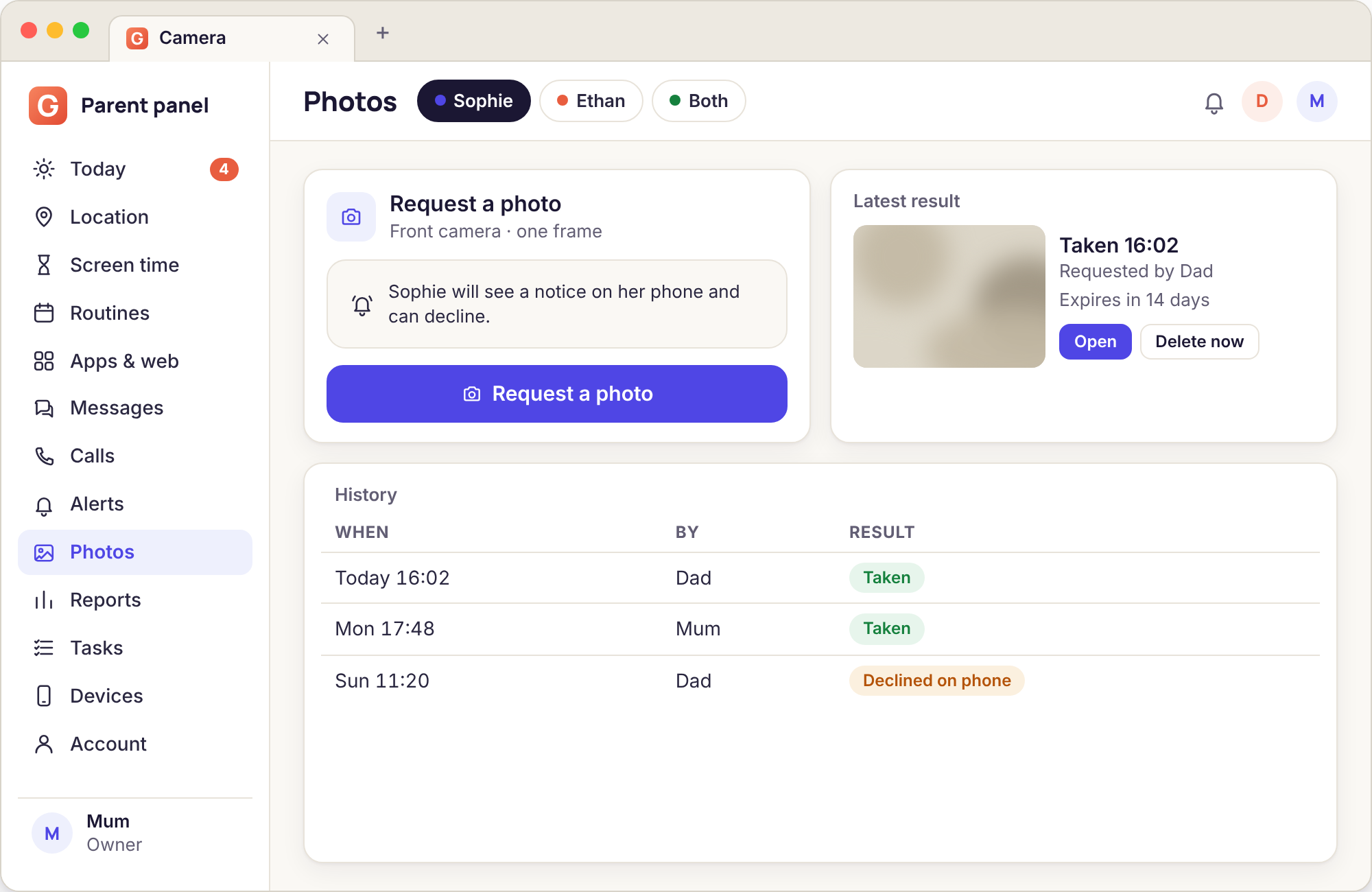
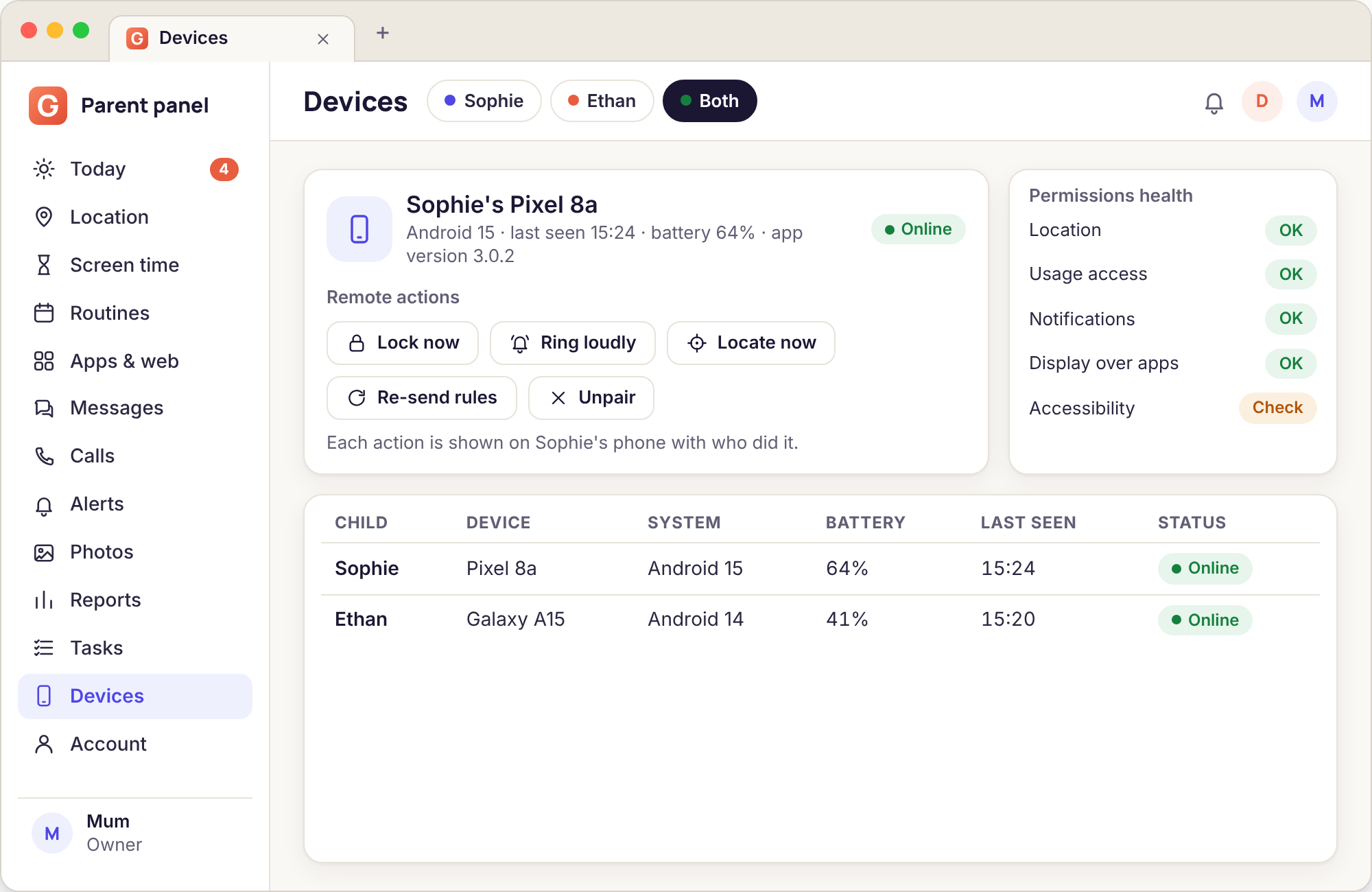
The button lives on the child's page in the panel, under Remote actions, beside Lock now and Ring loudly. You choose the rear lens or the front one and press Take a photo. If the phone is online the picture usually arrives within fifteen to thirty seconds. If it is in a drawer with no signal, the request waits and is carried out when the phone reconnects, with the notice shown at that moment rather than silently in the past.
The result appears on the same page: the image, the lens used, the time the shutter fired and which parent asked. Both parents on an account see the same list, and the "who asked" column is there precisely so that neither of you has to wonder. The photo is deleted from the panel after 14 days. If you want to keep one, download it before then.
- Rear lens for "where is this phone", front lens for "who has it"
- Arrives in the panel with the time and the requesting parent's name
- Queued while the phone is offline; never taken retrospectively without the notice
- Deleted after 14 days, downloadable before that
What the child sees
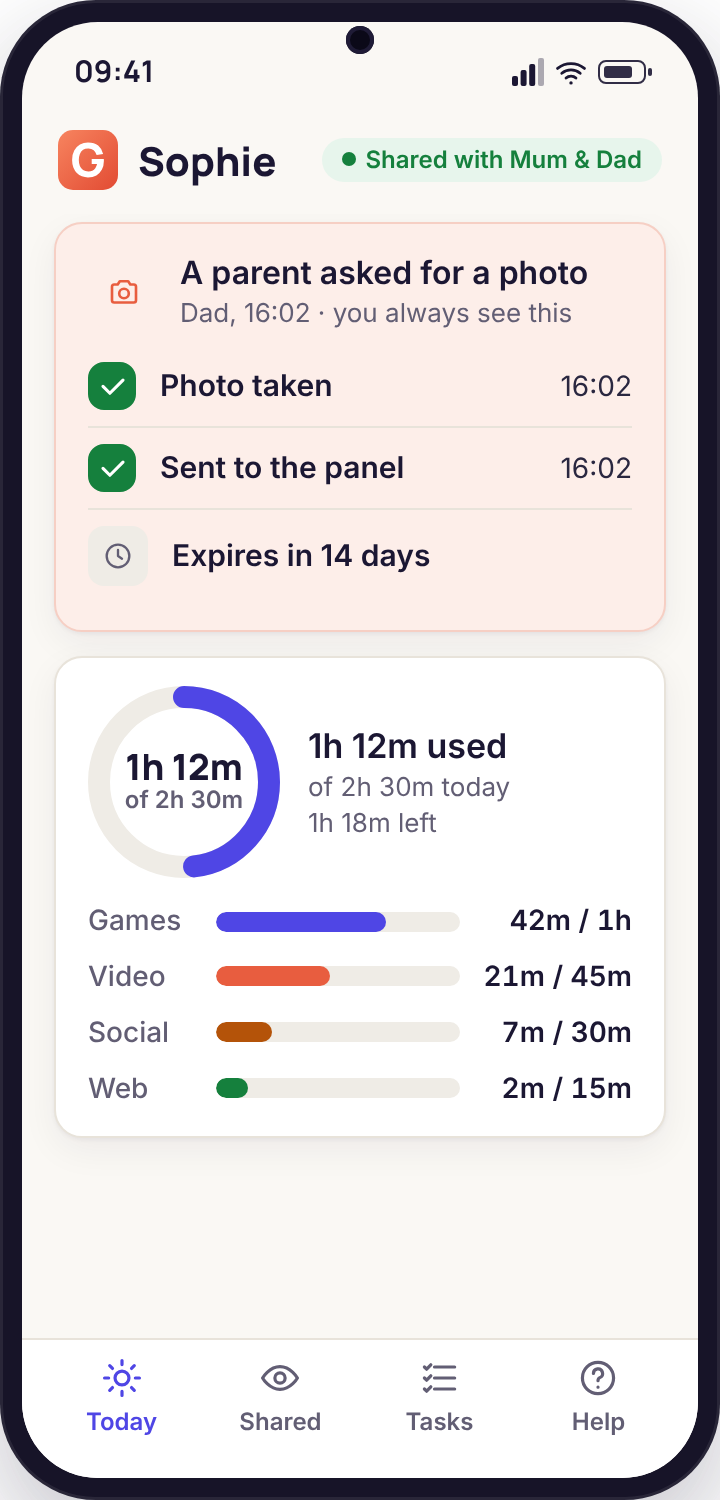
On the handset the request is impossible to miss. The screen wakes if it was off, the notice covers it entirely, and the text reads "Mum asked for a photo" or "Dad asked for a photo" with a five-second countdown. The camera fires at zero. Afterwards a line stays in the app's own activity list: the time, the parent and the lens. A child can scroll back through every request that has ever been made of their phone.
We are often asked whether the countdown lets a child hide the phone under a cushion. It does. A photo of the inside of a cushion is the correct outcome of a request your child did not want to answer, and the conversation that follows is a better tool than a picture would have been. The feature is for supervising a child who knows they are supervised, and the countdown is part of that bargain.
- Screen wakes, notice fills it, parent is named
- Countdown before the shutter, then a confirmation that the photo was sent
- A permanent entry in the child's own activity list
- Camera consent shown as its own row on the Transparency screen
When to use it, and when not
The parents who get the most from this feature press the button a few times a year. The phone has gone missing in the house and a photo of the underside of a sofa ends the search. A twelve-year-old at a sleepover says "come and get me" and a quick picture confirms the address. A handset that was lent to a friend has not come back. Those are good uses and the child will generally agree.
Pressing it because a teenager has not answered a text for an hour is not a good use. Neither is pressing it during a party to see who is there. In both cases the photo tells you less than a phone call would, and it spends trust that the rest of the app depends on. Before pressing, ask what question the photo would answer and whether a call, the map or a message would answer it better. Often one of them will.
- Good: a lost phone, a "come and get me", a lent handset
- Poor: unanswered texts, curiosity, checking on a party
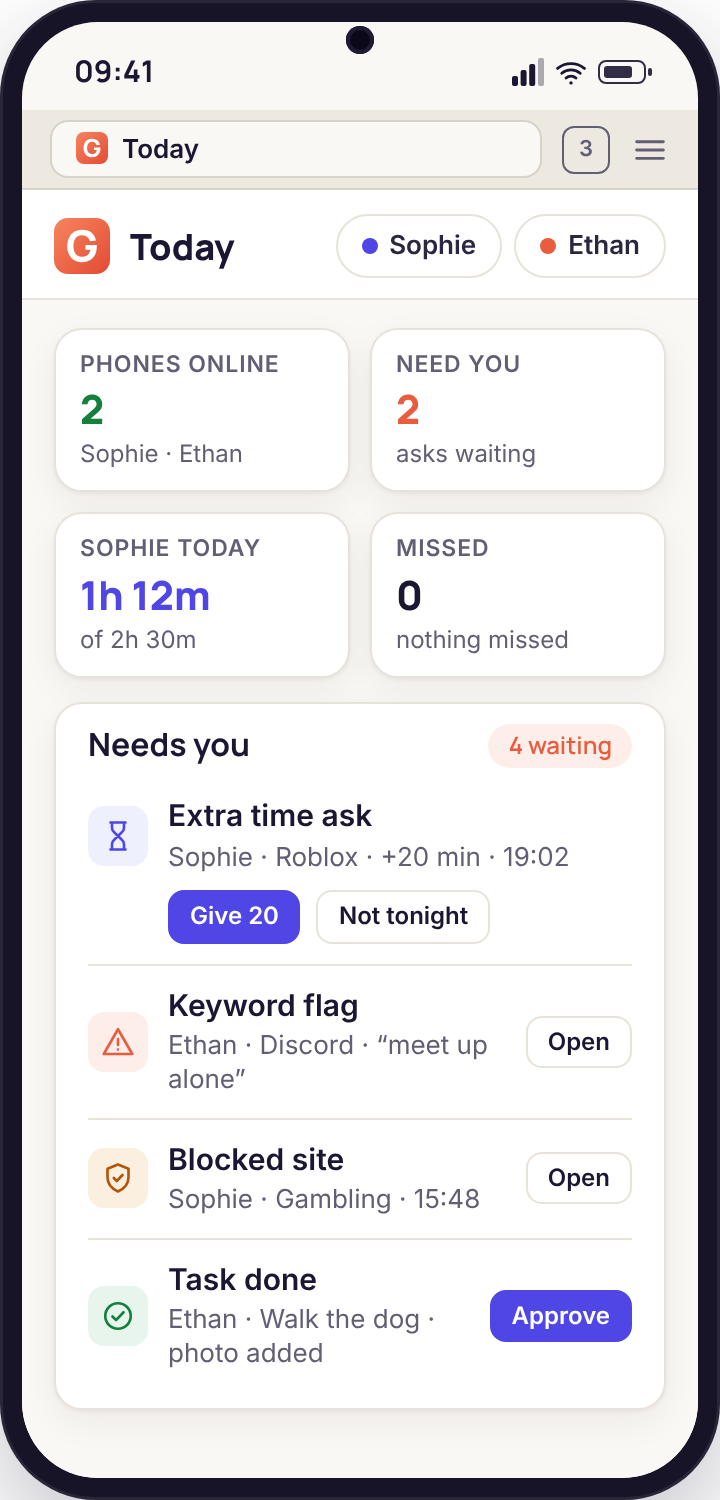
- The Today page records each press, so a habit is visible to both parents
A request, from button to photo
Four steps, each visible to somebody. The whole thing takes under a minute on a phone with signal.
You press Take a photo in the panel
From any browser, on the child's page, under Remote actions. Pick the lens. The panel logs the press immediately with your name and the time, before anything reaches the phone, so a request that later fails is still recorded as having been made.
The phone checks permission and consent
The child app receives the request and checks two things: that Android has granted it the camera permission, and that the camera consent switch is on. If either is missing the request is refused and the panel shows why in plain words: "Camera permission not granted" or "Camera switch is off on the phone". Nothing is photographed.
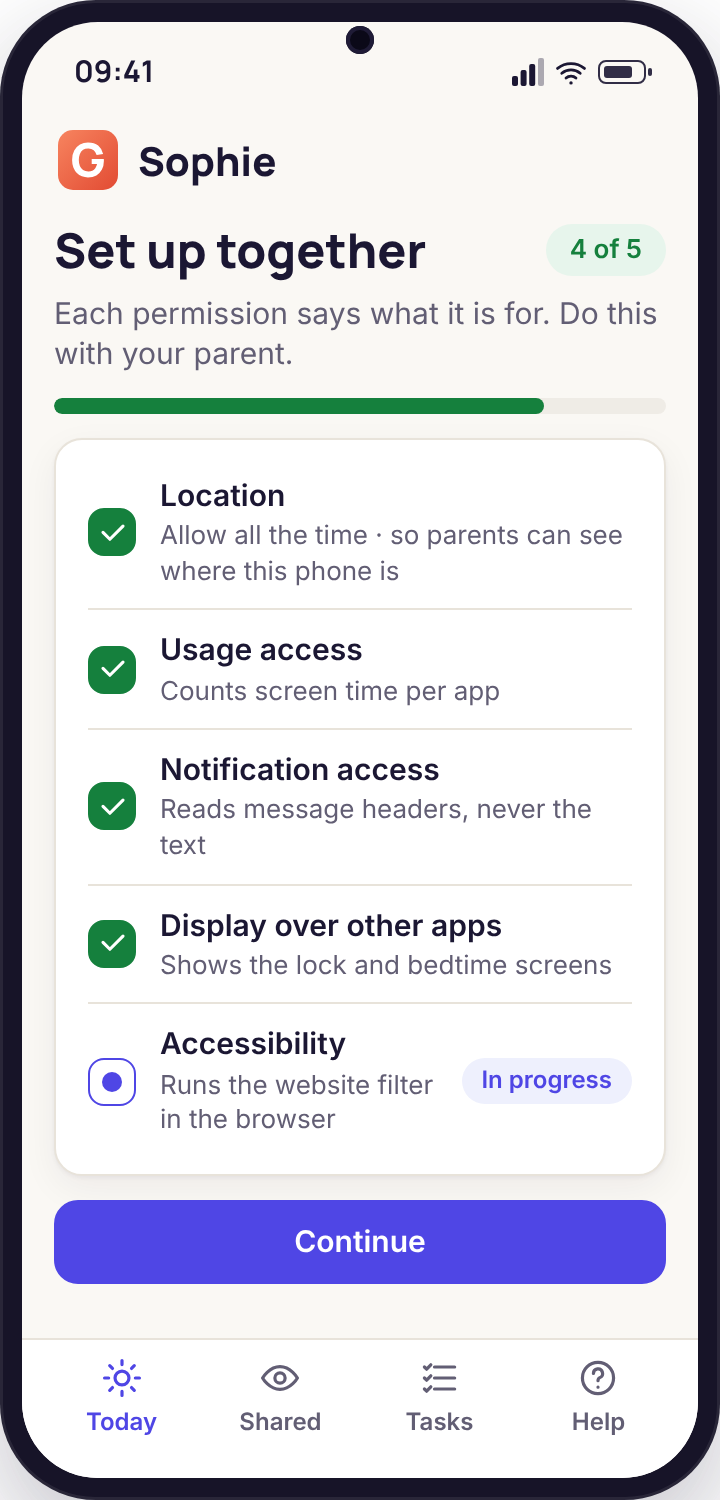
The notice fills the screen
The display wakes, the notice names the parent and counts down from five. At zero the chosen lens takes one still at a reduced resolution, enough to recognise a room or a face, not enough to read a document across it. The notice then changes to "Photo sent to Mum" and stays until dismissed.
The photo lands, and starts its 14 days
It appears on the child's page with the lens, the time and your name. The child's app records the same facts in its activity list. Fourteen days later the panel deletes it. If the phone was offline, every one of these steps happens when it reconnects, in order, with the notice shown live at that moment.
Reasons parents give, and whether the camera helps
We collect the reasons in the feedback survey. These are the common ones, with our frank view of whether a photo answers the question.
| The reason | Does a photo help? | What usually works better |
|---|---|---|
| "The phone is somewhere in the house" | Yes | Ring loudly first; if the phone is on silent in a bag, Ring loudly still works. The rear-lens photo is the second move. |
| "They said come and get me but not where" | Yes | Locate now gives the address; a front-lens photo confirms they are holding the phone themselves. Use both and set off. |
| "The phone was lent to a friend and not returned" | Yes | A front-lens photo shows who has it. Lock now with a message asking for it back often resolves it before the photo is needed. |
| "They are not answering my texts" | No | A call, then a wait. Teenagers put phones face down in lessons and at the cinema. The map and the School place answer "are they where they should be" without a camera. |
| "I want to see who they are with" | No | A photo of a ceiling at a party tells you nothing and costs a lot. Ask them, and use the Places alerts to know when they leave. |
| "I think they are being bullied in person" | Rarely | The keyword groups on messages and a conversation at home. A photo would need to be taken at exactly the right second and would announce itself to everyone in the room. |
| "I want to check they are actually at school" | No | The School place with a left-early time does this all day, every day, without a request. Reserve the camera for the moment the phone is somewhere it should not be. |
Four ways a request comes back empty
"Camera permission not granted"
Android's own camera permission was declined during setup, or revoked later in the phone's Settings. The app cannot take a photo without it and does not attempt to.
Fix: on the phone, open the app's Permissions walkthrough and grant Camera, with the child present. The reason shown beside the permission is the one you should both agree with before tapping Allow.
"Camera switch is off on the phone"
The consent switch on the Transparency screen is off, either because it was never accepted or because the child turned it off. The panel can send a request to turn it on, and that request appears on the phone as a prompt the child can accept or ignore.
Fix: talk, then ask. The switch is the child's to accept, and a switch that was turned off is a message worth hearing before it is re-sent.
The photo is black or blurred
The phone was face down on a table, in a pocket, or in a dark room, and the camera did what a camera does. There is no flash and no retry; firing a flash in a child's bedroom at night is not something the app will do.
Fix: try the other lens once. A rear lens on a face-down phone photographs the table; the front lens photographs the ceiling, which is often enough to recognise the room.
The request has been queued for hours
The phone is off, flat or out of signal. The request waits and will be carried out, with the live notice, the moment the phone reconnects, which may be a time when the photo is no longer useful.
Fix: cancel the queued request from the panel if the moment has passed. A cancelled request never fires and never shows a notice.
The camera, answered
Can I take a photo without my child knowing?
No, and there is no setting, build or payment that changes this. The full-screen notice with the parent's name is drawn by the child app for every request, and the request is listed in the child's own activity log afterwards. If you need a tool that works in secret, this is the wrong app.
Is there any video?
None. The camera takes a single reduced-resolution still per request and is released immediately. We do not record clips, stream, or keep the camera open between requests, and the Transparency screen shows "Camera: last used" with a time so the child can check.
Why is it only on the direct-download build?
Google Play does not permit remote camera access in parental-monitoring apps, and we follow that rule rather than disguise the feature. The direct build is installed from our download page, with the child present, and the camera switch is accepted on the phone afterwards.
Which lens does it use?
Whichever you choose when you press the button. The rear lens is better for finding where a phone is; the front lens is better for seeing who is holding it. There is no option to take both at once, because two photos is twice the intrusion for rarely any more information.
How long is the photo kept, and who can see it?
Fourteen days, then deleted automatically. Both parents on the account can see it, and each photo shows which parent requested it. Export and deletion are available sooner from the panel. We never use photos for anything other than showing them to you.
What stops a parent misusing this?
The notice, the child's activity log, the named-parent column that the other parent can see, and the acceptable use policy you agree to. The app is for supervising your own child openly. Using it to photograph anyone else, or to monitor an adult, breaks the terms and in most countries the law.
The camera is the tool you reach for last, after the quieter ones have not answered, and in the panel it sits beside ambient audio, photos, videos and recordings and location tracking and Places.
Setting this up is the same fifteen-minute pairing as everything else, done once with your child in the room; the remote camera switches on from the panel afterwards. The download page covers pairing step by step.
A button you will rarely press
Set it up with your child watching the notice appear on their own screen, then leave it alone until a phone goes missing. The quiet weeks are the point.
Android child app · Runs in any browser · Visible on the phone