How to Track Elderly Parents’ Location (With Consent)
Your mother has started leaving the cooker on, or your father got turned around walking home from a route he’s done for thirty years, and someone in the family says the word out loud: maybe we should be able to see where they are. It’s a reasonable instinct. It’s also one that can go badly wrong if the technology arrives before the conversation does.
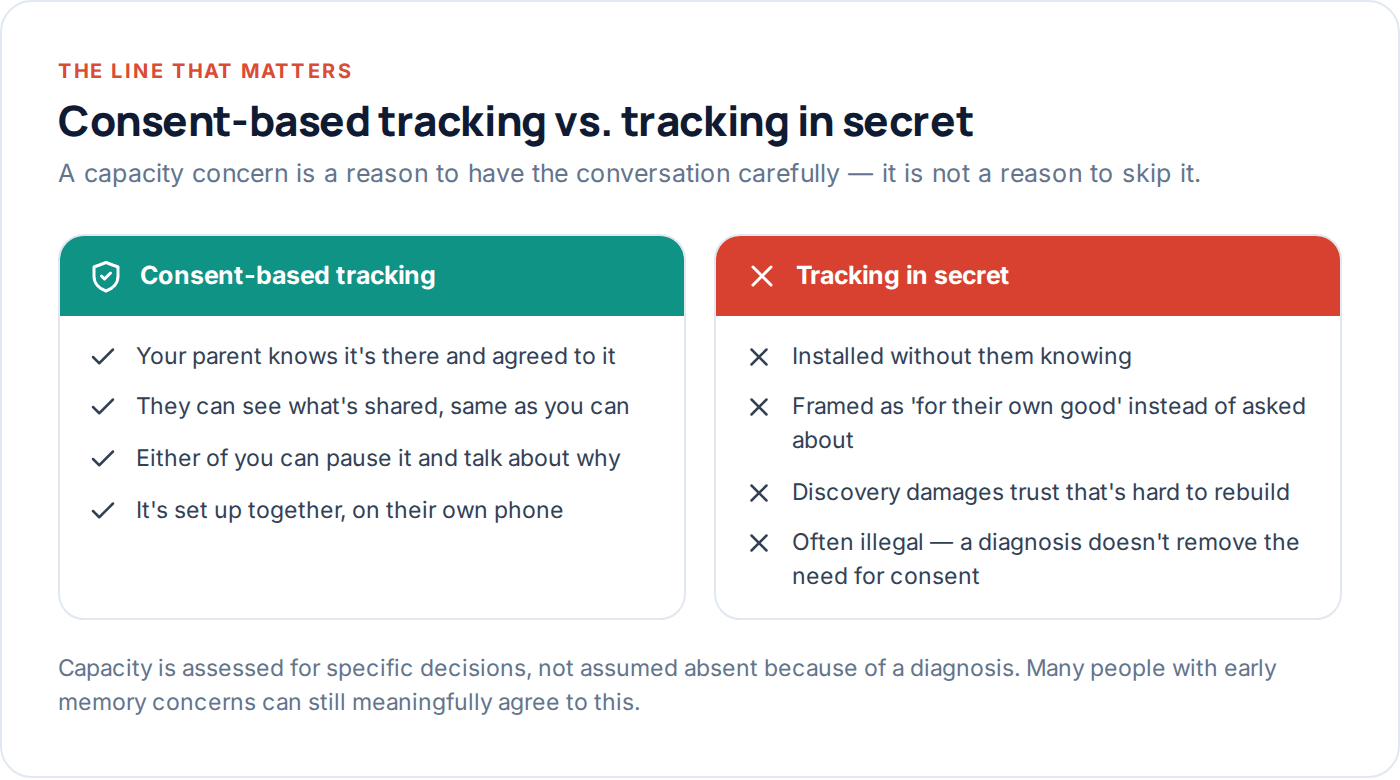
This guide is about doing it properly — starting with whether your parent can and does consent, working through what dignity actually means in practice, and only then getting to which device or app fits the situation. If you’re looking for how to track an elderly parent’s location without them knowing, this isn’t that guide, deliberately: that approach damages trust, and in many places it isn’t legal either.
- Start with the conversation, not the app
- Capacity and consent, properly understood
- Dementia and wandering: what changes
- What dignity actually looks like in practice
- What to set up, step by step
- Involving siblings without turning it into a project
- Fall detection and medical alert options
- When to revisit the whole arrangement
- Questions families actually ask
Start with the conversation, not the app
Every part of this guide sits downstream of one conversation, and skipping it to get to the practical setup faster is the single most common way this goes wrong. Your parent finds out later, feels watched rather than cared for, and the trust that took decades to build takes a real hit over a decision that was meant to help them.
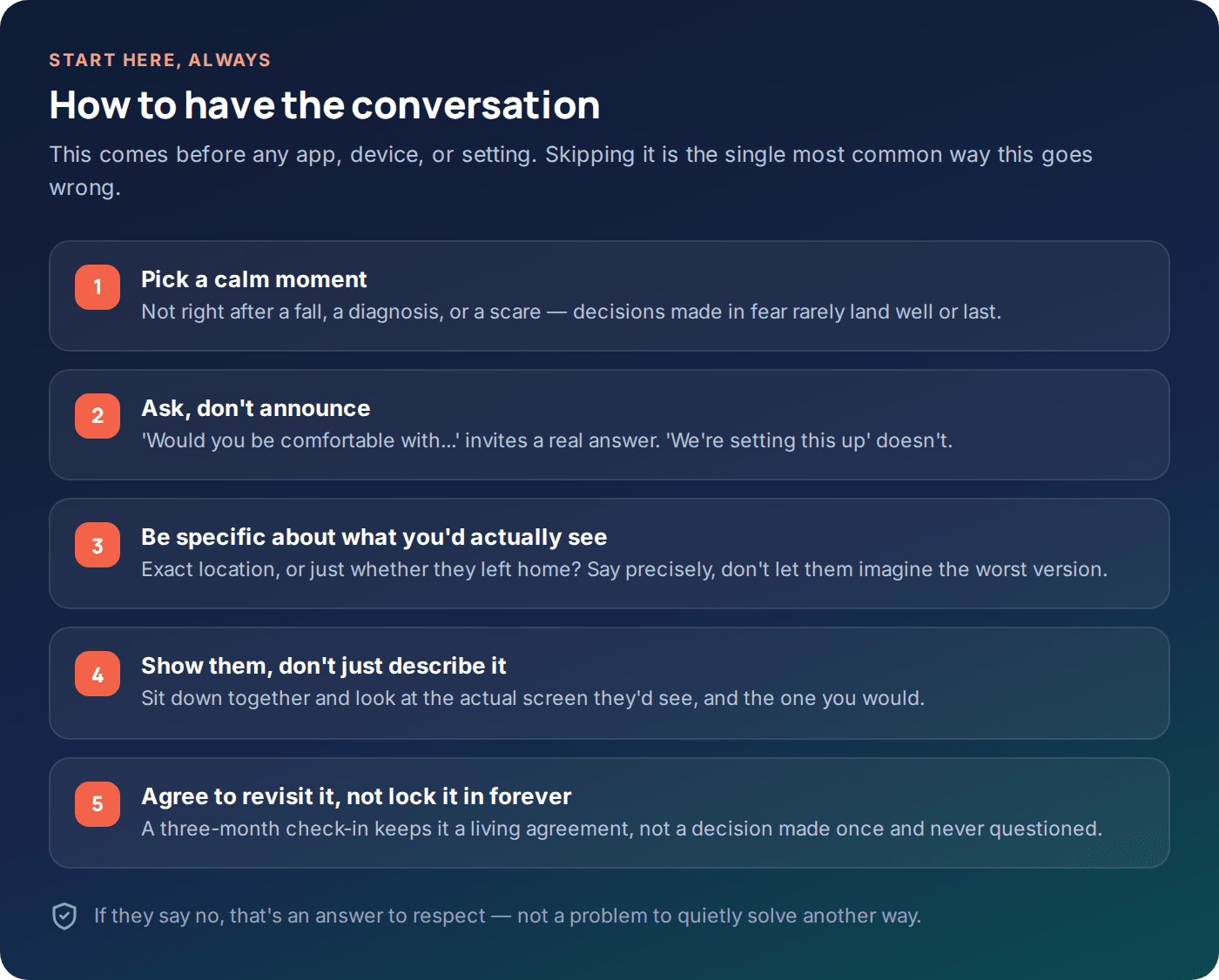
The conversation works best when it isn’t a response to a crisis. If you’re having it the day after a fall or a frightening phone call, emotions are running high on both sides, and it’s easy for your parent to feel like a decision is being made about them rather than with them. Where you can, have it on an ordinary day, as one part of a broader conversation about staying independent for longer — which, genuinely, is often what this is actually about.
What to actually say
Be concrete. “I’d like to be able to see roughly where you are and get a gentle notification if you leave the house very late — nothing more than that” is something your parent can say yes or no to. “I want to keep an eye on you” is vague enough to sound like a loss of independence, and understandably lands badly.
Capacity and consent, properly understood
Capacity is not an on-off switch that a diagnosis flips. In most places, capacity is assessed for specific decisions, at a specific time — a person can have every capacity to decide whether they want their location shared with their children, even while other decisions genuinely need support. Assuming someone can’t consent because of a diagnosis, an age, or a stereotype is both unkind and, in many jurisdictions, legally wrong.
Where capacity genuinely is in doubt — a formal diagnosis with documented cognitive decline, for instance — the right path is usually a conversation involving whoever holds legal authority to act in your parent’s best interests (in many places this is a person with power of attorney or a court-appointed guardian), ideally alongside a GP or geriatrician who can speak to what your parent can currently understand and decide. This guide can’t give you legal advice specific to your situation or country; a solicitor or your parent’s care team can.
Dementia and wandering: what changes
A diagnosis that includes a real risk of wandering — leaving home and becoming lost or disoriented, sometimes without registering it as unusual — changes the calculation in a specific way: the risk of doing nothing becomes serious, sometimes life-threatening, in a way that starting to shift the balance toward more active tracking.
It does not remove the need to ask, where your parent is still able to understand and respond to being asked, even if the answer that day is inconsistent with an answer given the week before. Many families find that involving their parent in the decision early — before it becomes urgent — means the arrangement is already in place and familiar by the time it’s genuinely needed, rather than being introduced for the first time during a frightening moment.
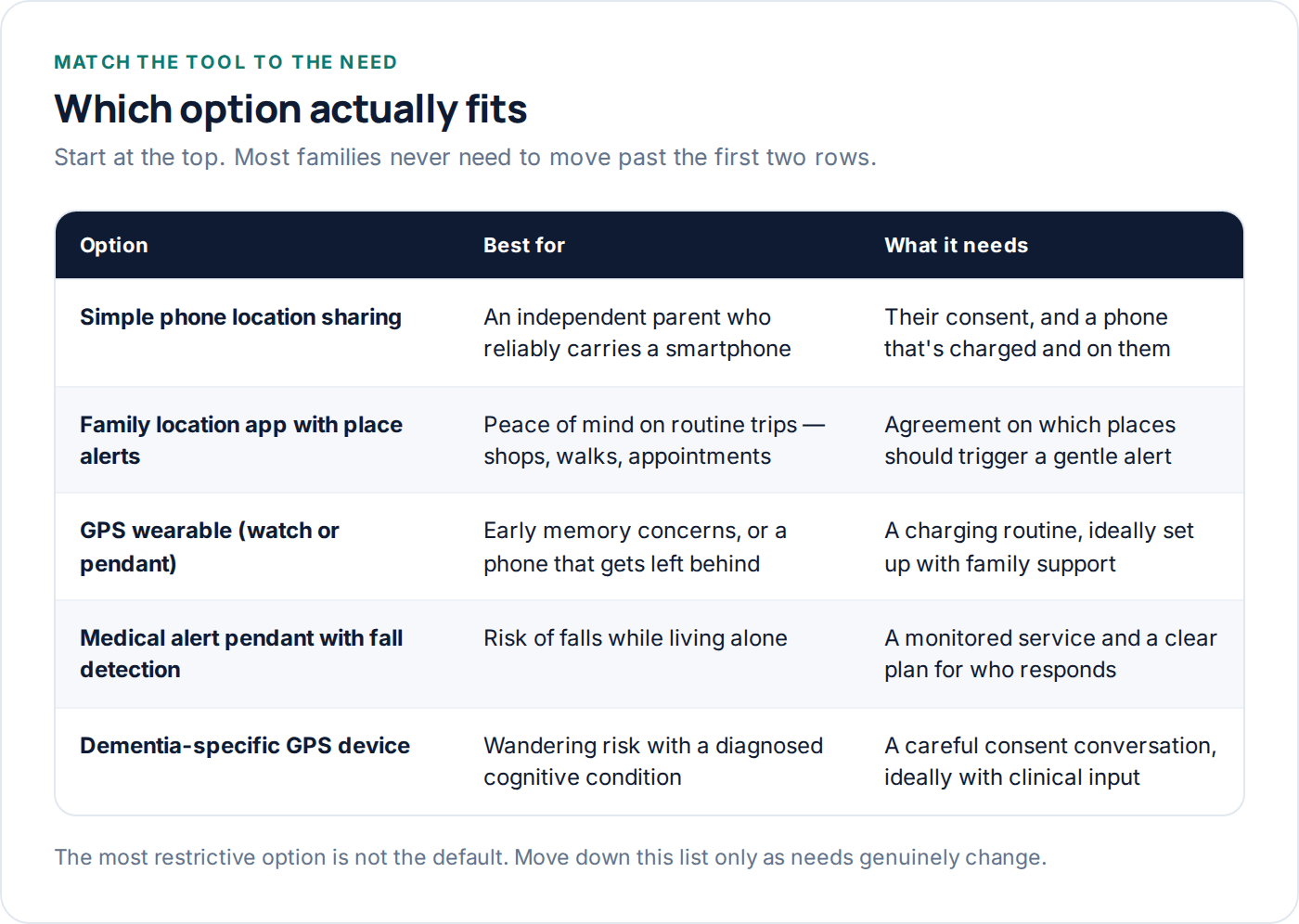
Where a formal wandering risk has been identified by a clinician, a purpose-built dementia GPS device, discussed further below, is usually a better fit than a smartphone your parent may forget to carry, charge, or use once memory becomes unreliable.
What dignity actually looks like in practice
Dignity in this context isn’t an abstract value — it shows up in specific, practical choices. Whether your parent can open the same screen you can and see exactly what’s shared. Whether alerts are worded as concern or as surveillance. Whether the whole arrangement was decided with them or announced to them.
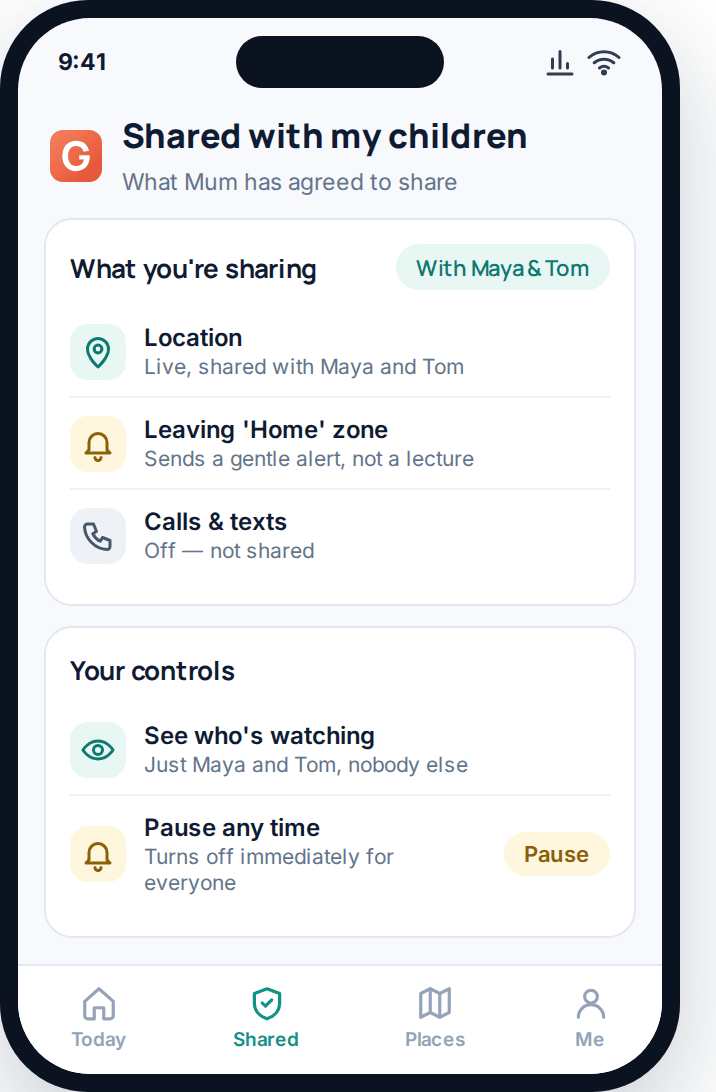
A well-designed alert says something like “left the Home zone at an unusual time” — informational, without judgement. A poorly designed one reads like a warning about a rule being broken. The difference in wording sounds small; the difference in how it feels to be on the receiving end is not.
Least restrictive first
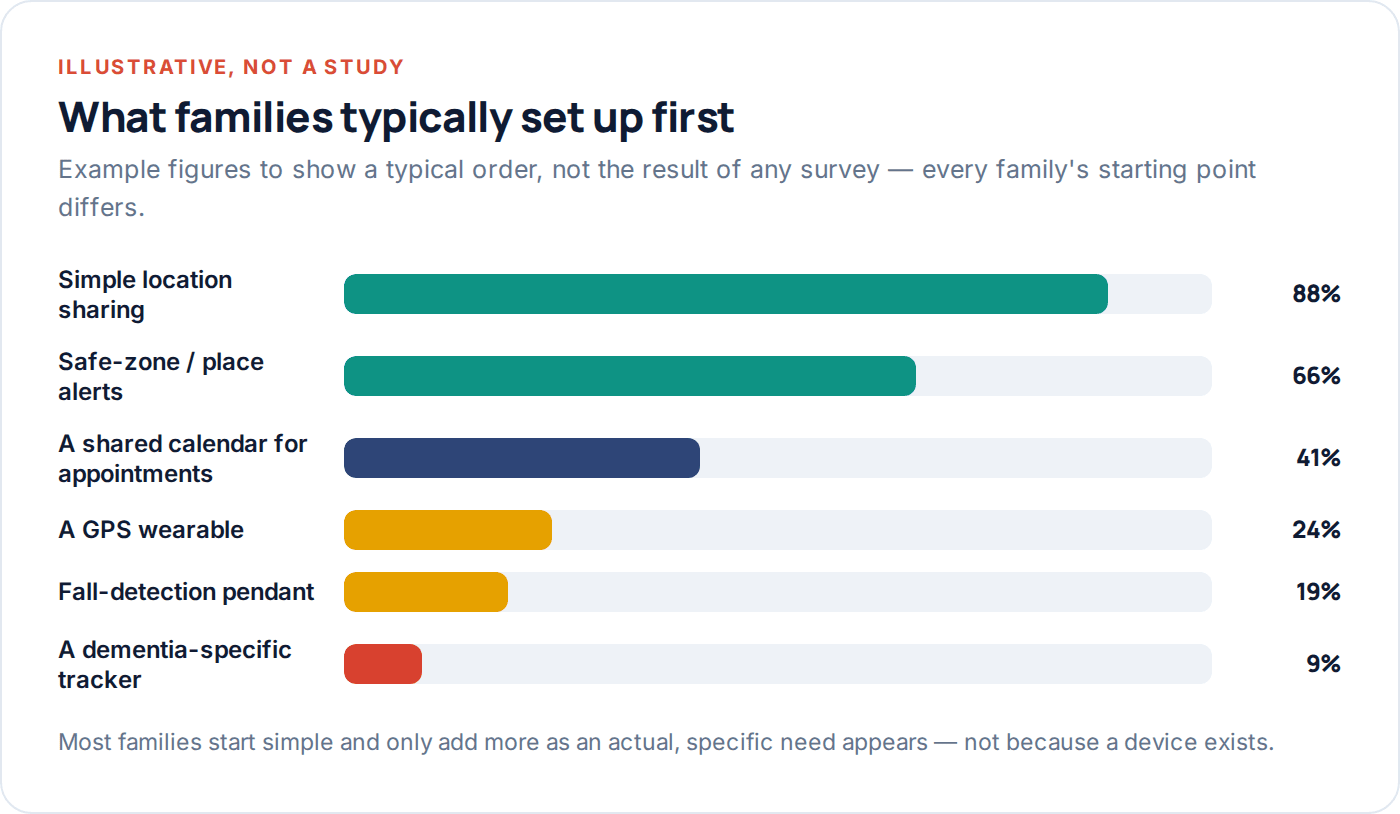
Simple location sharing before a wearable. A wearable before a monitored medical alert service. Match the tool to the actual need, not the worst-case scenario.
Visible, not hidden
Whatever you set up should be something your parent can see is there — on their home screen, in their settings, openly discussed.
Framed as their choice
“I’ve set this up for you” reads differently to “would this help you feel safer staying in your own home longer?” Same tool, very different message.
What to set up, step by step
Once consent is genuinely in place, the technical part is usually the easiest bit. Work through it in order rather than reaching for the most powerful option first.
- Start with basic location sharing on the phone your parent already has, set up together, on their phone, in text they can actually read comfortably.
- Add a handful of saved places — home, the GP surgery, a sibling’s house, wherever they go regularly — rather than leaving a raw, unreadable map.
- Turn on gentle alerts, not constant tracking — a notification when they leave home later than usual, not a family member watching a live dot all day.
- Show your parent the same screen you’ll be looking at, and let them keep it open on their own phone so nothing about the arrangement is hidden from them.
- Write down who’s actually watching — one adult child, or the whole family — so your parent knows exactly who can see what.
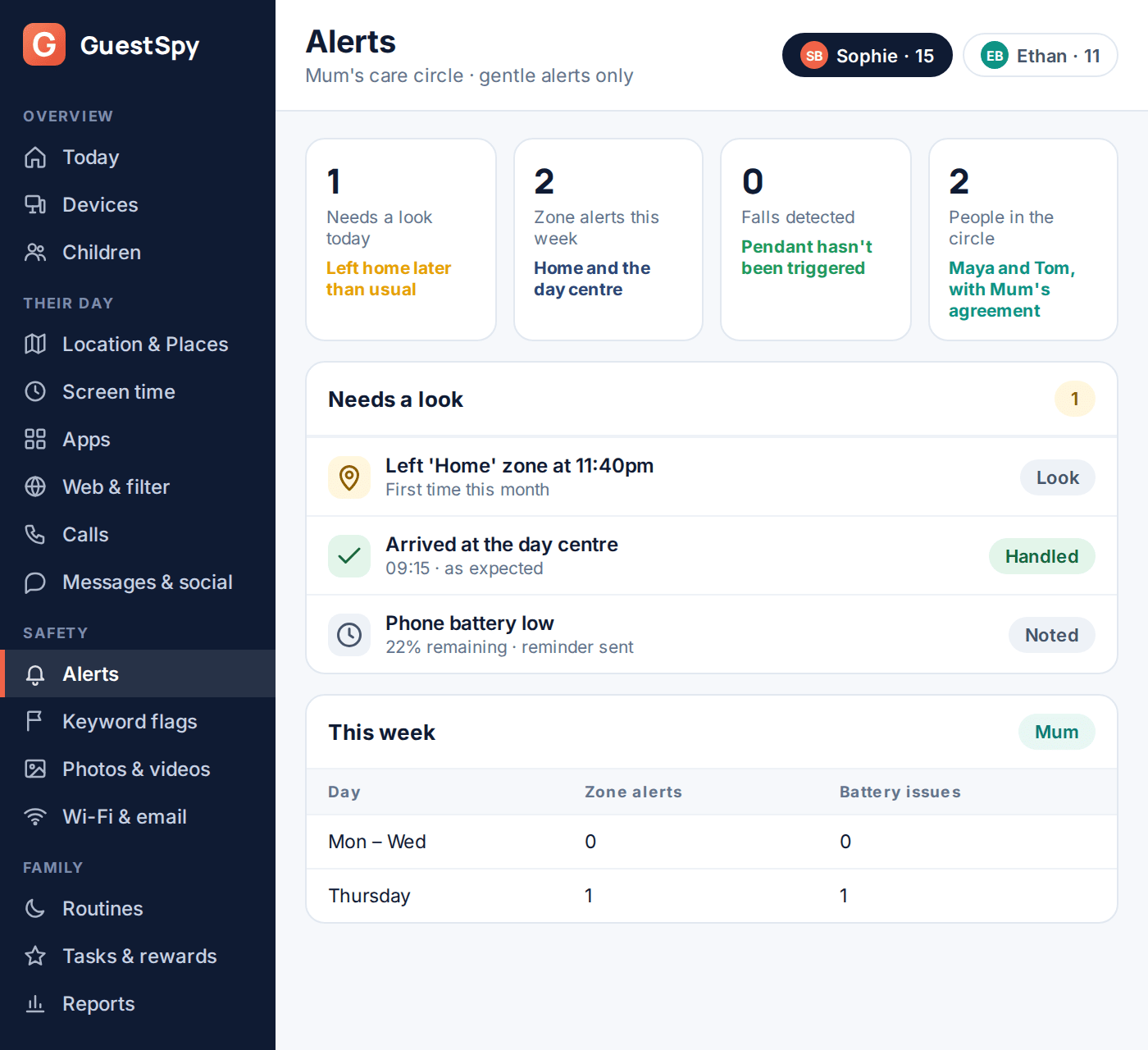
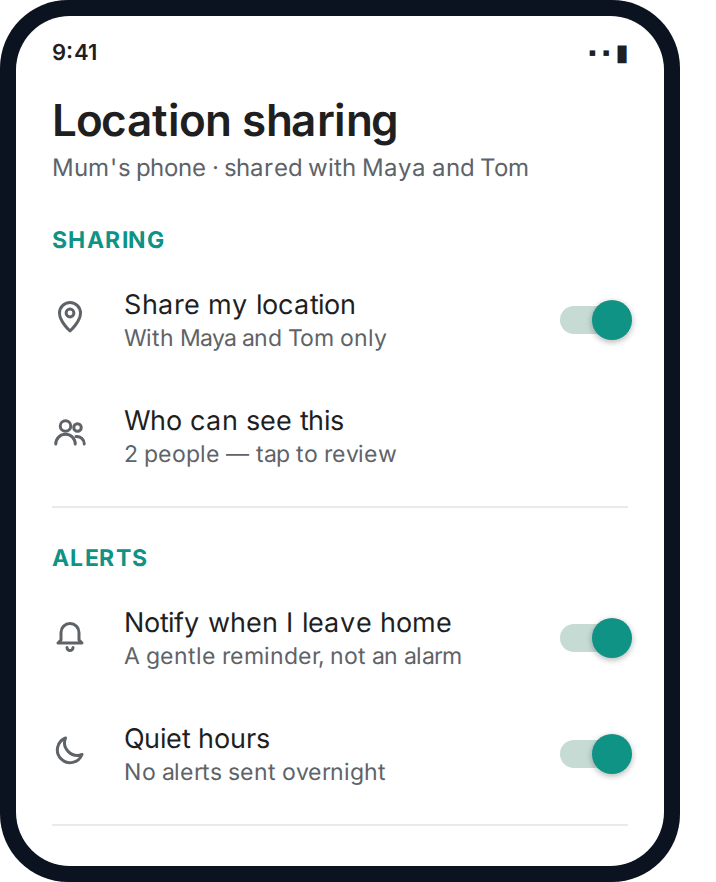
A dedicated family location app such as GuestSpy is worth adding once basic phone sharing isn’t quite enough — when you want gentle place alerts rather than a raw map, or when more than one adult child needs the same view without everyone needing separate logins to your parent’s phone.
Involving siblings without turning it into a project
One sibling setting this up unilaterally and informing the others afterward is a common and avoidable source of family conflict — not because the setup was wrong, but because a decision that affects the whole family’s relationship with a parent got made by one person alone.
Where there’s more than one adult child, have the initial conversation with your parent together if you can, or at minimum agree beforehand what you’re going to propose. Decide together who’s actually in the circle seeing the alerts — it doesn’t need to be everyone, and a parent may reasonably prefer one child knows and relays anything important rather than every alert going to every sibling.
Fall detection and medical alert options
Location sharing answers “where are they.” It doesn’t answer “are they alright right now,” which is a different and, for many families, more urgent question — particularly for a parent living alone.
Medical alert pendants and watches with fall detection are a separate category worth understanding on their own terms. Most work by detecting a sudden fall through movement sensors and either alerting a monitored response service directly or notifying family, sometimes both. They are not the same thing as location sharing, and a parent can reasonably want one without the other — fall detection addresses a moment of acute risk, while location sharing addresses day-to-day reassurance.
| Question to ask before choosing | Why it matters |
|---|---|
| Is it monitored by a real person, or just alerts family? | A monitored service can call emergency services directly if nobody answers; a family-only alert relies on someone being free to respond immediately. |
| Does it need to be worn, or does it work if it’s in a drawer? | The best fall-detection device in the world does nothing if your parent takes it off at home, which is where most falls actually happen. |
| What’s the false-alarm rate like day to day? | A device that triggers constantly gets ignored or switched off — read reviews specifically about this before buying. |
| Is there a genuine two-way talk function? | Being able to speak to someone immediately after a fall matters as much as the alert itself, especially if your parent is frightened. |
When to revisit the whole arrangement
What’s right today won’t necessarily be right in a year. A parent who’s fully independent now may need more support later; a parent going through a temporary health scare may need less once they’ve recovered. Treat the setup as something to revisit, not something you configure once and leave.
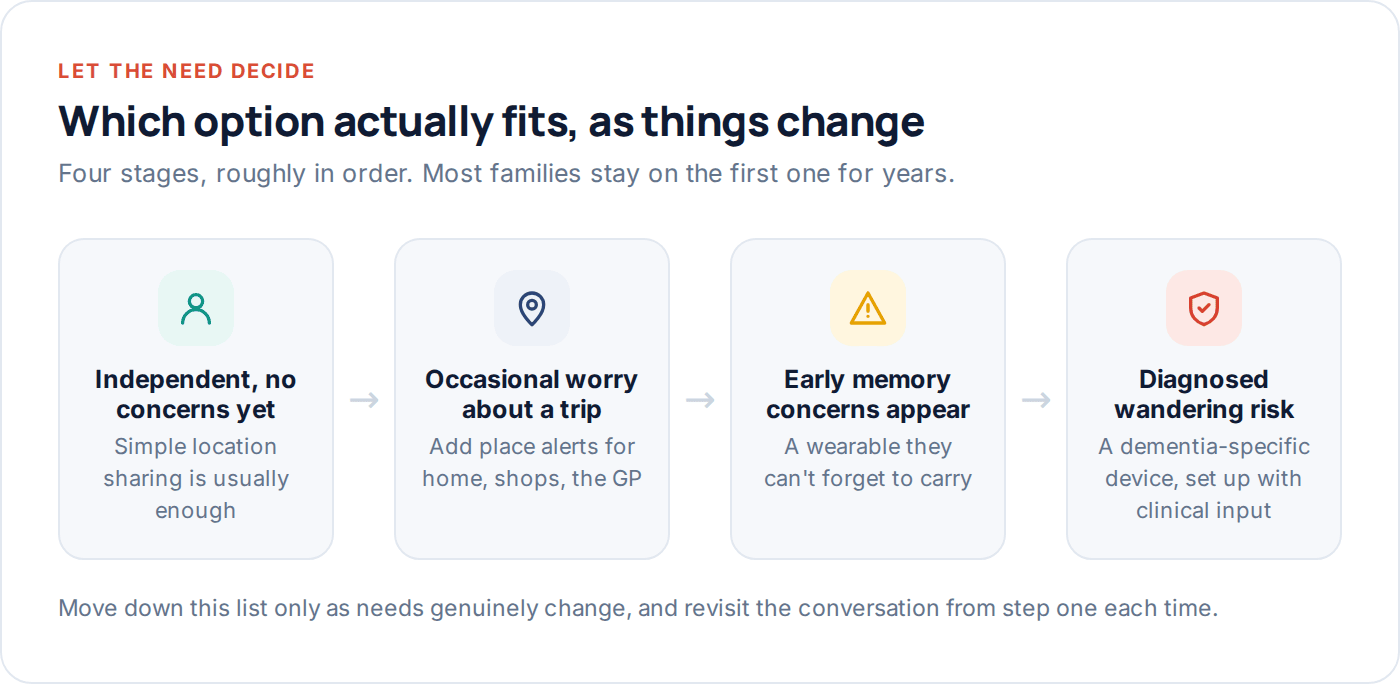
A practical habit: put a review date in the calendar every three to six months, and use it as a genuine check-in rather than a formality — ask your parent directly whether the current arrangement still feels right to them, not just whether it’s still technically working.
Reviews are also the natural point to scale things back, not just add to them. If your parent recovered well after a health scare and the daily worry that prompted the setup has genuinely eased, that’s worth saying out loud and acting on — removing an alert or loosening a setting sends its own message about trust, and it matters just as much as the original decision to set things up. A family that only ever adds more monitoring, never less, ends up with an arrangement that reflects old fears rather than current reality.
Questions families actually ask
Can I track my elderly parent’s phone without telling them?
Not appropriately, and often not legally. Location tracking of an adult without their knowledge and genuine consent can be a criminal offence in many places, and it damages trust badly if discovered — which it usually is eventually. Where a parent genuinely cannot consent due to a documented lack of capacity, the right path involves whoever holds legal authority to act in their interests, not a quiet, unilateral install.
What if my parent refuses, but I’m genuinely worried about their safety?
Respect the refusal while addressing the underlying worry another way — more frequent phone or in-person check-ins, involving their GP, or revisiting the conversation gently after a while rather than pushing once and giving up, or overriding it. A refusal today isn’t necessarily a refusal forever, especially as circumstances change.
Does a dementia diagnosis mean my parent can no longer consent to this?
No, not automatically. Capacity is usually assessed per decision, not as a blanket status attached to a diagnosis — many people with early or moderate dementia can still meaningfully understand and agree to something as specific as location sharing. Ask a GP or the person’s care team if you’re genuinely unsure.
What’s the difference between location sharing and a medical alert pendant?
Location sharing tells you roughly where someone is, day to day. A medical alert pendant, especially one with fall detection, is built for a specific emergency moment — it can call for help immediately after a fall. Many families use both, since they answer different questions.
Should all my siblings see every alert?
Not necessarily, and it’s worth deciding deliberately rather than by default. Some families route everything through one designated child who relays anything important; others share everything with everyone. Either can work — the key is agreeing on it together, and ideally with your parent’s input on who they’re comfortable being watched by.
At what point should we move from a phone to a dedicated GPS wearable?
Usually once a phone is being left behind, left uncharged, or becoming hard to operate — which often coincides with early memory changes. A wearable that’s put on each morning like a watch removes the “did they bring their phone” problem entirely, and is worth discussing with a GP if wandering risk has become a real concern.
Where to start
If your parent is independent and the worry is mild, start with the conversation and simple, consented location sharing — that alone resolves most families’ actual concern. Add place alerts once you know which trips matter, and only move toward a wearable or medical alert device when a specific, real need appears, ideally with a GP’s input.
If you want a single view that a few adult children can share, with your parent able to see exactly what’s shared and pause it themselves, GuestSpy’s family location sharing is built around that kind of consent, and our acceptable use page sets out plainly what it will and won’t do.
Keep reading
The Complete Guide to Finding a Lost Phone
A calm, step-by-step guide to finding a lost or stolen phone — what to do in the first five minutes,…
A Beginner’s Guide to Geofencing for Parents
What a geofence actually is, how to choose a radius that doesn't misfire, and how to stop useful alerts turning…
How to Set Up a Family Safety Circle
Who belongs in a family safety circle, how mutual and one-way sharing differ, and how to set one up that…